.webp)


.svg)


.svg)
.svg)
Direct and organic traffic sit side by side in every analytics report, and most marketers read them as two clean, separate channels. They are not. Direct is the label your analytics tool uses when it cannot tell where a visit came from, and a large part of that label is organic, email and social traffic that lost its source on the way.
The stakes are higher than they were a few years ago. A Pew Research Center analysis of real browsing data found that Google users clicked a traditional search result in 8% of visits when an AI summary appeared, compared with 15% when no summary appeared. Cloudflare data reported by NBC News in June 2026 showed that automated requests made up 57.4% of web traffic, so bots now outnumber people online. Organic clicks are harder to earn, and the Direct bucket collects more noise than ever.
If you misread these two channels, you risk cutting the channel that brings new people and crediting the one that mostly hides them. In this guide, we explain how analytics separates direct from organic visits, what each number says about your brand, why Direct grows bigger than it should, and how a 20-minute audit in GA4 helps you clean up your reports. We finish with the reasons organic search still deserves the larger share of your effort and the tagging rules that keep both channels honest.
The stakes are higher than they were a few years ago. A Pew Research Center analysis of real browsing data found that Google users clicked a traditional search result in 8% of visits when an AI summary appeared, compared with 15% when no summary appeared. Cloudflare data reported by NBC News in June 2026 showed that automated requests made up 57.4% of web traffic, so bots now outnumber people online. Organic clicks are harder to earn, and the Direct bucket collects more noise than ever.
If you misread these two channels, you risk cutting the channel that brings new people and crediting the one that mostly hides them. In this guide, we explain how analytics separates direct from organic visits, what each number says about your brand, why Direct grows bigger than it should, and how a 20-minute audit in GA4 helps you clean up your reports. We finish with the reasons organic search still deserves the larger share of your effort and the tagging rules that keep both channels honest.
How Analytics Sorts a Visit Into Direct or Organic Search
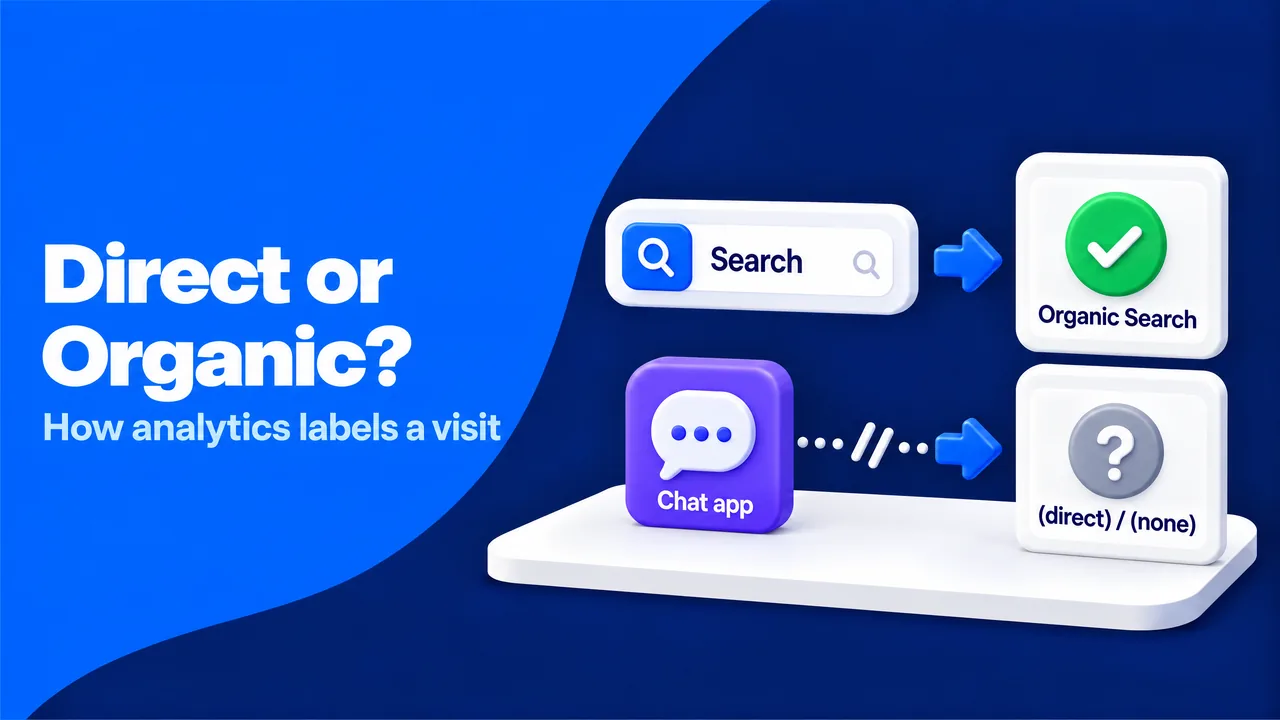
Analytics tools do not see people. They see requests, and each request carries two clues about its origin. The first clue is the HTTP referer, an optional header that tells the server which page the visitor left. The second clue is a set of campaign tags in the URL, known as UTM parameters, which marketers add to links they control.
GA4 reads both clues and assigns each session to a channel. When neither clue exists, GA4 records the source and medium as "(direct) / (none)" and files the session under Direct. In other words, Direct does not mean "typed by a loyal fan". It means "origin unknown".
Here is how that plays out. Anna searches "how to speed up a WordPress site" on Google and clicks your guide. Her browser sends google.com as the referrer, so GA4 files the visit under Organic Search.
Ben receives the same link from a colleague in a desktop chat app, and the app opens his browser with no referrer. GA4 files his visit under Direct. Both people clicked a link and wanted the same answer, but your report tells two different stories.
GA4 reads both clues and assigns each session to a channel. When neither clue exists, GA4 records the source and medium as "(direct) / (none)" and files the session under Direct. In other words, Direct does not mean "typed by a loyal fan". It means "origin unknown".
Here is how that plays out. Anna searches "how to speed up a WordPress site" on Google and clicks your guide. Her browser sends google.com as the referrer, so GA4 files the visit under Organic Search.
Ben receives the same link from a colleague in a desktop chat app, and the app opens his browser with no referrer. GA4 files his visit under Direct. Both people clicked a link and wanted the same answer, but your report tells two different stories.
The Two Channel Definitions in Plain English
GA4 uses simple rules for both channels. A session counts as Direct when the source is exactly "(direct)" and the medium is "(none)" or "(not set)". A session counts as Organic Search when the source matches a known search engine or the medium is "organic". Organic Search covers unpaid clicks from a search engine results page, the list of links a search engine shows for a query.
Older guides defined direct traffic as "people who typed your URL or used a bookmark". That definition comes from an earlier web, when most links lived on web pages and browsers passed the full address of the previous page. Today, links travel through apps, inboxes, PDFs and AI assistants, and browsers share less data by design. According to Wikipedia, Chrome, Edge, Firefox and Safari have sent only the domain of the previous page in cross-site requests by default since March 2021.
Older guides defined direct traffic as "people who typed your URL or used a bookmark". That definition comes from an earlier web, when most links lived on web pages and browsers passed the full address of the previous page. Today, links travel through apps, inboxes, PDFs and AI assistants, and browsers share less data by design. According to Wikipedia, Chrome, Edge, Firefox and Safari have sent only the domain of the previous page in cross-site requests by default since March 2021.
| Aspect | Direct | Organic Search |
|---|---|---|
| How GA4 detects it | No referrer and no campaign tags | Referrer from a known search engine, or medium "organic" |
| What the visitor usually wants | A known page: homepage, login, pricing | An answer to a specific query |
| What a healthy number signals | People remember your brand | People find you when they have a need |
| Common false positives | Untagged email, chat shares, PDFs, apps, bots, staff | Branded searches that started as word of mouth |
Checking How Your Own Sessions Were Labeled
You can see the raw labels in a few clicks. In GA4, the Traffic acquisition report (Reports, then Acquisition) shows sessions by channel. Changing the primary dimension to "Session source / medium" reveals the "(direct) / (none)" row and every search engine row separately.
A useful habit is to rename Direct to "Direct and unattributed" in your internal dashboards. The numbers stay the same, but the label stops people from reading the line as pure brand loyalty. This works because most bad decisions about Direct come from the name, not from the data.
A useful habit is to rename Direct to "Direct and unattributed" in your internal dashboards. The numbers stay the same, but the label stops people from reading the line as pure brand loyalty. This works because most bad decisions about Direct come from the name, not from the data.
What Real Direct and Organic Visits Say About Your Brand
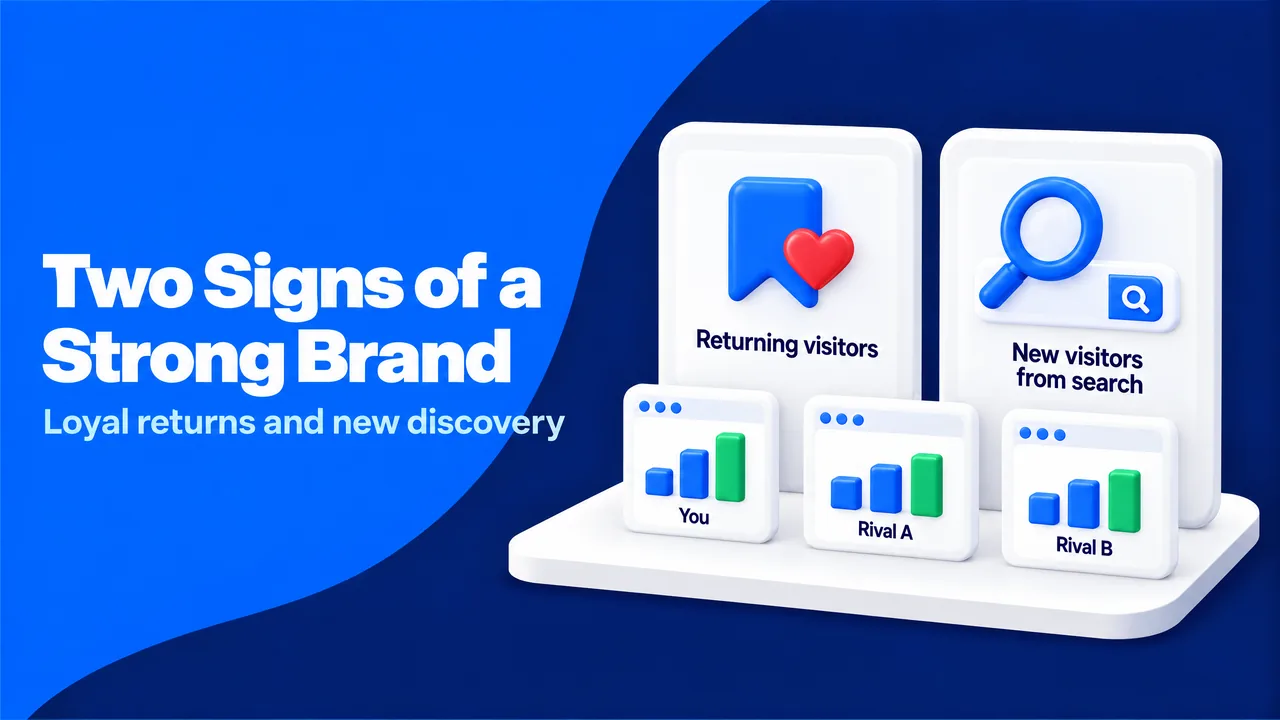
Once you separate real direct visits from lost referrers, both channels carry good news. Genuine direct visits come from people who remember your name and come back on purpose. Organic visits come from people who did not know you yet but had a question your page answered. One channel measures loyalty, and the other measures discovery.
Consider two businesses. A neighborhood bakery sees direct visits rise every Friday morning as regulars check the weekend menu. That pattern is a real brand signal, because the visits land on the homepage and the menu page and they repeat each week.
A new online course provider sees organic visits climb as its tutorials start to rank. That pattern is a discovery signal, because most visitors are new and they land on deep tutorial pages.
Problems start when you read one number in isolation. A software company with 50% direct traffic may celebrate loyalty while half of that share is untagged email. A niche store with 10% direct traffic may worry about its brand while its competitors show the same split. Without outside context, neither conclusion holds.
Consider two businesses. A neighborhood bakery sees direct visits rise every Friday morning as regulars check the weekend menu. That pattern is a real brand signal, because the visits land on the homepage and the menu page and they repeat each week.
A new online course provider sees organic visits climb as its tutorials start to rank. That pattern is a discovery signal, because most visitors are new and they land on deep tutorial pages.
Problems start when you read one number in isolation. A software company with 50% direct traffic may celebrate loyalty while half of that share is untagged email. A niche store with 10% direct traffic may worry about its brand while its competitors show the same split. Without outside context, neither conclusion holds.
Benchmarking Your Channel Mix Against Competitors
The most useful context comes from outside your own analytics account. GA4 shows your own split, but it cannot tell you whether that split is normal for your niche. SparkTraffic, a web traffic platform that runs geo-targeted advertising campaigns on partner publisher sites, also offers a free website traffic checker that estimates any domain's traffic by channel, including organic search, direct, social, referral and paid visits. The report also compares the domain with three similar sites in the same niche, which gives you an outside benchmark for a healthy organic share.
The comparison works because it separates market patterns from your own patterns. If similar sites earn a much larger organic share from comparable content, the gap points to a search visibility opportunity. If every site in your niche shows high direct traffic, the cause is likely the audience itself, such as professionals who share links in private chats.
The comparison works because it separates market patterns from your own patterns. If similar sites earn a much larger organic share from comparable content, the gap points to a search visibility opportunity. If every site in your niche shows high direct traffic, the cause is likely the audience itself, such as professionals who share links in private chats.
A One-Page Channel Health Note
A short monthly note keeps the picture clear for your team. It needs only a few lines:
- Your direct share and your organic share for the month
- Estimated shares for your three closest competitors
- The trend of searches that contain your brand name, from Google Search Console
- The engagement rate of direct and organic sessions
Branded searches deserve a special place in the note. They appear under Organic Search, but they come from brand awareness, so they act as a bridge between the two channels. A rising direct share with rising branded searches and steady engagement is the strongest sign that people know and trust you. Behind every number is a person who chose to come back, and the note keeps that person in view.
Why Your Direct Traffic Is Higher Than It Should Be
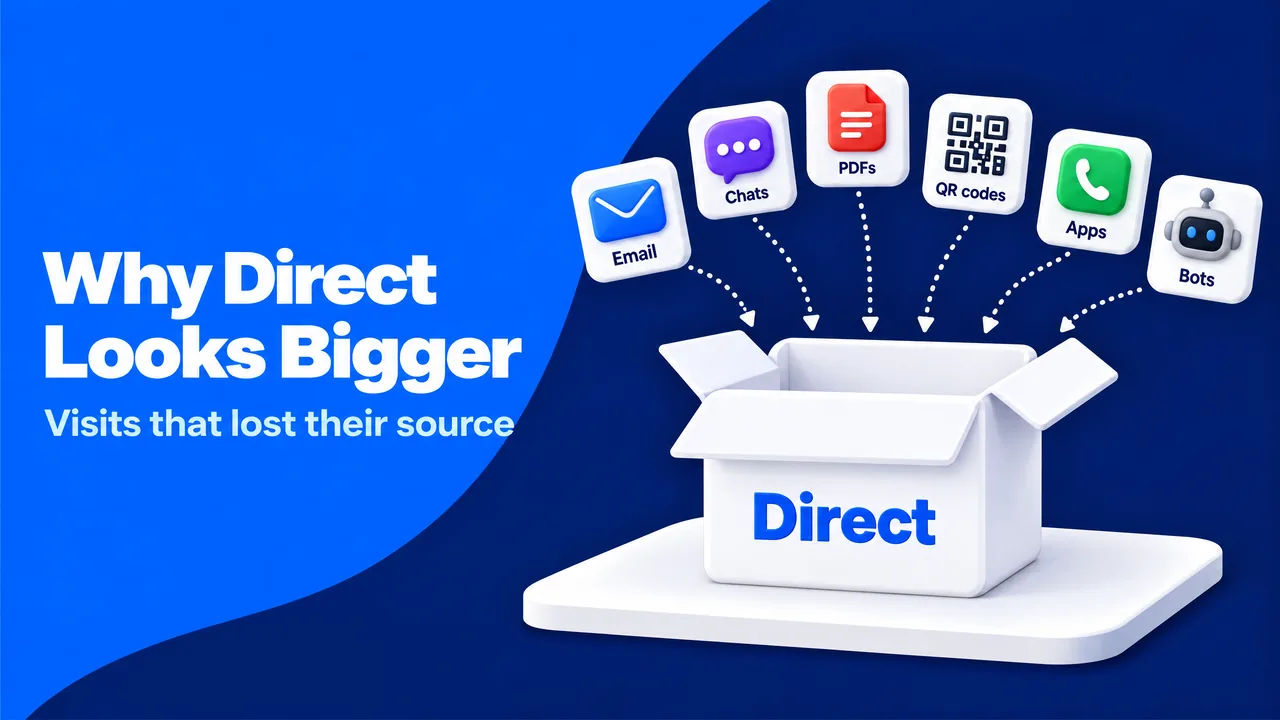
Most websites record more direct traffic than they really receive. The gap grows quietly, because every lost referrer looks the same in a report. A visit from a podcast listener, a newsletter reader and a scraper bot all land in one line. The causes fall into five groups.
Links Opened Outside the Browser
Email is the classic example. A newsletter link without UTM tags often opens from a desktop mail client that sends no referrer, so a good campaign day looks like a sudden wave of loyal fans. Private messaging works the same way. When someone shares your article in WhatsApp, Slack or a text message, the click usually arrives without a source.
Journalist Alexis Madrigal named this effect "dark social" in a 2012 article in The Atlantic, after he noticed how much of the magazine's traffic came from private sharing that analytics could not see. Wikipedia describes dark social as the sharing of links through channels that are hard to track. Links inside PDFs, slide decks and printed QR codes add to the same pile.
Journalist Alexis Madrigal named this effect "dark social" in a 2012 article in The Atlantic, after he noticed how much of the magazine's traffic came from private sharing that analytics could not see. Wikipedia describes dark social as the sharing of links through channels that are hard to track. Links inside PDFs, slide decks and printed QR codes add to the same pile.
Browser and Security Rules That Strip the Referrer
Some referrers disappear because of how the web is built. Wikipedia's HTTP referer entry notes that a link from a secure HTTPS page to a non-secure address sends no referrer, and that most browsers send none after a "Refresh" redirect. A link with the HTML attribute rel="noreferrer" also tells the browser to hide the source.
Redirects can also erase campaign tags. A link shortener or a misconfigured redirect that drops everything after the question mark turns a tagged email link into an untagged visit. The visitor arrives on the right page, but the record of the campaign is gone.
Redirects can also erase campaign tags. A link shortener or a misconfigured redirect that drops everything after the question mark turns a tagged email link into an untagged visit. The visitor arrives on the right page, but the record of the campaign is gone.
AI Assistants and In-App Browsers
AI assistants now send real visitors, and their links behave in mixed ways. Some assistants add a source tag to the links they show, while answers opened in mobile apps or copied into a browser often arrive with no referrer. Our guides on tracking ChatGPT traffic in GA4 and AI traffic attribution show how to separate these visits.
In-app browsers inside social and messaging apps add another layer. They open your page inside the app, and the referrer they pass depends on the app and its version.
In-app browsers inside social and messaging apps add another layer. They open your page inside the app, and the referrer they pass depends on the app and its version.
Untagged Paid Placements
Paid campaigns lose their source when nobody adds tags. Popunder and push ads often open a new window without a referrer, so the visits land in Direct (see why). Sponsored newsletter mentions and influencer links have the same problem. You pay for the visit and then lose the record of who sent it.
Your Own Team and Automated Visitors
Staff who open the website from bookmarks every morning add steady direct sessions. Uptime monitors, staging tests and browser extensions add more. GA4 removes known bots automatically, but it only knows the bots on its list. Scrapers and simple scripts that request your pages with no referrer often slip through, as our article on traffic bots explains.
Matching Each Cause to Its Fix
Each cause has a direct fix, and most fixes take minutes:
| Cause | Typical example | Practical fix |
|---|---|---|
| Untagged email | Newsletter links without UTM tags | Add utm_source, utm_medium and utm_campaign to every email link |
| Dark social | Article shared in WhatsApp groups | Add a short "How did you hear about us?" field to key forms |
| Documents and QR codes | PDF guide, printed flyer | Use tagged links and short vanity paths, such as /flyer |
| Referrer-stripping redirects | Meta refresh or a shortener that drops tags | Use one-step 301 redirects that keep the query string |
| Untagged paid placements | Popunder or sponsored post | Tag every paid link before launch |
| Internal visits and bots | Staff, monitors, scrapers | Define internal traffic in GA4 and block abusive bots at the server |
These fixes work because they restore the missing clue at its source. GA4 cannot guess the origin of a visit later, so the only reliable repair is to give each link a clear label before anyone clicks it. Our guide on how to direct traffic to your website covers vanity paths and link routing in more detail.
A 20-Minute Direct Traffic Audit in GA4
Most teams look at the Direct total in the Traffic acquisition report and stop there. A total hides the pattern that explains it. When direct traffic jumps by 40% in a month, the cause might be a TV campaign, a forgotten newsletter, a viral chat share or a bot. Each cause needs a different response, and the total looks the same in every case.
Imagine an online furniture store that sees a direct spike in March and credits its new radio ad. A quick check shows that most of the extra direct sessions landed on one long blog URL about small-space sofas, and nearly all of them came from new users. Nobody types a 70-character blog address after hearing a radio ad. The real source was a home decor group that shared the article in a messaging app.
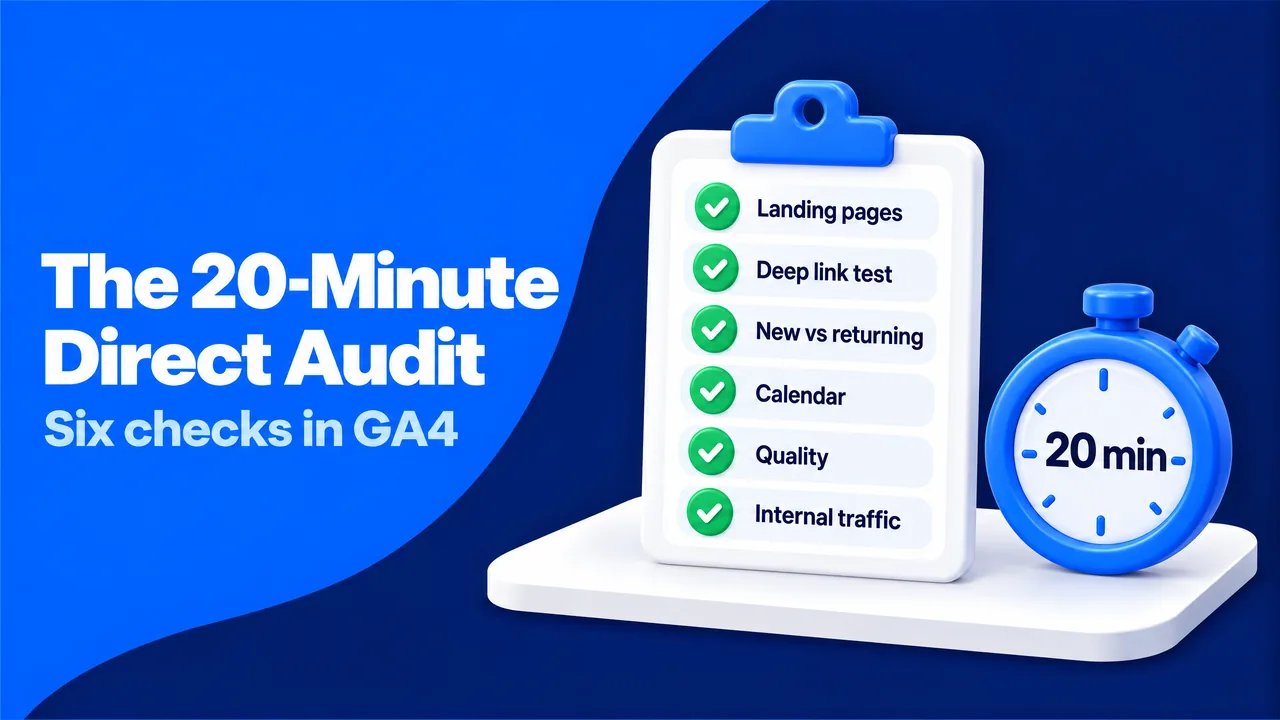
The audit below takes about 20 minutes and catches cases like this one. It works because each step tests one cause, and together they separate real brand visits from tracking gaps.
Imagine an online furniture store that sees a direct spike in March and credits its new radio ad. A quick check shows that most of the extra direct sessions landed on one long blog URL about small-space sofas, and nearly all of them came from new users. Nobody types a 70-character blog address after hearing a radio ad. The real source was a home decor group that shared the article in a messaging app.
The audit below takes about 20 minutes and catches cases like this one. It works because each step tests one cause, and together they separate real brand visits from tracking gaps.
- The landing page view (4 minutes). In GA4, the Landing page report (Reports, then Engagement) lists the pages where sessions start. Adding a filter for "Session default channel group" equal to Direct shows where direct visitors arrive.
- The deep link test (4 minutes). Real direct visits land on short addresses that people can type or bookmark, such as the homepage, a pricing page or a login page. Long blog or product URLs are rarely typed. The share of Direct sessions on deep URLs gives you a fast estimate of misattributed traffic.
- The new versus returning check (3 minutes). The "New / returning" dimension shows who the direct visitors are. Real direct traffic leans toward returning users. A high share of new users on deep pages suggests lost referrers.
- The calendar check (3 minutes). Spikes in Direct often match newsletter sends, press mentions, podcast episodes or offline events. Lining up daily direct sessions with your marketing calendar reveals untagged campaigns.
- The quality check (3 minutes). Engagement rate, the share of sessions that last longer than 10 seconds, include a key event or view at least two pages, separates people from scripts. Bots tend to show near-zero engagement, one city, one device type or an odd screen resolution.
- The internal check (3 minutes). GA4 lets you define internal traffic by IP address in the data stream settings and then activate a data filter in the Admin area. If this filter is missing, your own team is part of your direct traffic.
Brand Signal or Tracking Gap: A Decision Table
The audit results become useful when you read them as patterns. The table below links the most common patterns to their likely meaning:
| Pattern you see | What it usually means | Next step |
|---|---|---|
| Direct rises with branded searches and steady engagement | Real brand demand | Keep investing in what built awareness |
| Direct rises on deep blog URLs, mostly new users | Lost referrers from chats, email or apps | Tag shared links, add a source question to forms |
| Direct spikes on newsletter days | Untagged email | Add UTM tags to every email link |
| Direct with near-zero engagement from one city or device | Bot traffic | Filter in reports, block at the server |
| Direct during office hours from one network | Internal visits | Activate the internal traffic filter |
Repeating the audit each month gives you a baseline. Changes against your own history are easier to read than any industry average, because your audience, sharing habits and campaigns stay largely the same from month to month.
Why Organic Traffic Still Earns the Bigger Investment
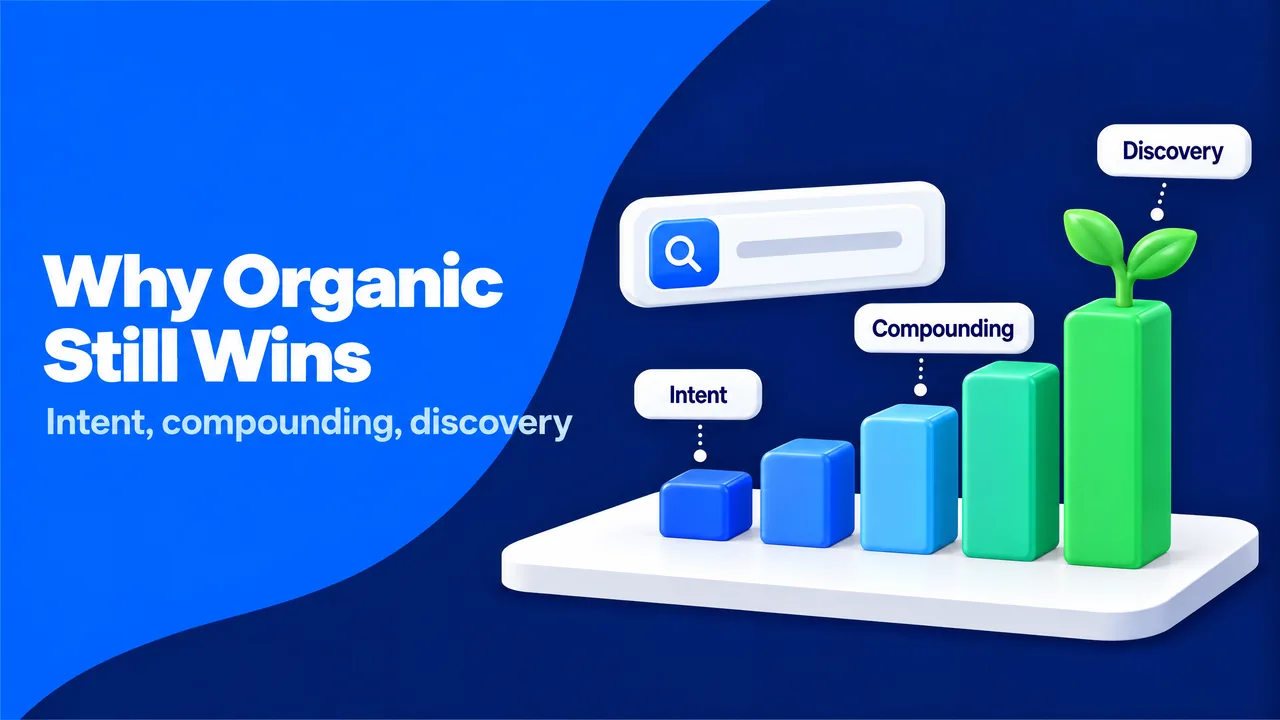
Some marketers now question their search investment. AI summaries answer many questions on the results page, and the Pew study found that only 1% of visits with an AI summary included a click on a link inside the summary. A B2B software company might see organic sessions fall by 15% in a year while its Search Console impressions rise. The page is still visible, but fewer people need to click.
This change is real, but it does not make direct traffic the better channel. Direct traffic depends on people who already know you, and organic search is one of the main ways they got to know you in the first place. The older argument for organic traffic listed generic benefits. The modern case rests on five points that hold up under today's conditions.
This change is real, but it does not make direct traffic the better channel. Direct traffic depends on people who already know you, and organic search is one of the main ways they got to know you in the first place. The older argument for organic traffic listed generic benefits. The modern case rests on five points that hold up under today's conditions.
Five Reasons Organic Search Outperforms Direct Over Time
Organic reaches people before they know your name. Direct traffic only grows when awareness grows. Organic search puts your pages in front of people at the moment they describe a need, which is how most new visitors first meet a brand.
Organic intent is explicit. A search query states what the person wants in their own words. Long, specific queries, the long tail of search, reveal needs that no direct visit can tell you about.
Organic compounds over time. A page that ranks keeps earning visits without a fee for each click. Paid advertising stops sending visitors when the budget stops, while a useful guide can bring readers for years.
Organic feeds direct. Many direct and branded visits begin with an organic first visit. When a company cuts its content and SEO work, direct traffic often shrinks a few months later, because fewer new people discover the brand.
Organic content earns visibility in AI answers. The same clear, well-sourced pages that rank in search are the pages AI systems read and cite. Our article on zero-click searches explains how to measure visibility when a click never happens.
Organic intent is explicit. A search query states what the person wants in their own words. Long, specific queries, the long tail of search, reveal needs that no direct visit can tell you about.
Organic compounds over time. A page that ranks keeps earning visits without a fee for each click. Paid advertising stops sending visitors when the budget stops, while a useful guide can bring readers for years.
Organic feeds direct. Many direct and branded visits begin with an organic first visit. When a company cuts its content and SEO work, direct traffic often shrinks a few months later, because fewer new people discover the brand.
Organic content earns visibility in AI answers. The same clear, well-sourced pages that rank in search are the pages AI systems read and cite. Our article on zero-click searches explains how to measure visibility when a click never happens.
Measuring Organic Value Beyond the Click
Since fewer searches end in a click, clicks alone undervalue organic search. A fuller view combines Search Console impressions, branded search growth, organic sessions with a key event and cost per engaged session across channels. Cost per engaged session divides what a channel costs by the sessions that showed real interest, which makes organic and paid results comparable.
The practical priority is pages that serve people, not pages written for algorithms. Clear answers, original examples and honest sources earn rankings and AI citations at the same time. Our guides on SEO for website traffic and content marketing show how to build these pages.
Some industries face higher standards. Health, finance and legal topics fall under what Google calls "Your Money or Your Life" content, where search quality reviewers expect clear expertise, named authors and verifiable sources. In these fields, shortcuts in content quality cost more rankings than they ever save in production time.
The practical priority is pages that serve people, not pages written for algorithms. Clear answers, original examples and honest sources earn rankings and AI citations at the same time. Our guides on SEO for website traffic and content marketing show how to build these pages.
Some industries face higher standards. Health, finance and legal topics fall under what Google calls "Your Money or Your Life" content, where search quality reviewers expect clear expertise, named authors and verifiable sources. In these fields, shortcuts in content quality cost more rankings than they ever save in production time.
How Organic and Direct Work Together Across the Customer Journey
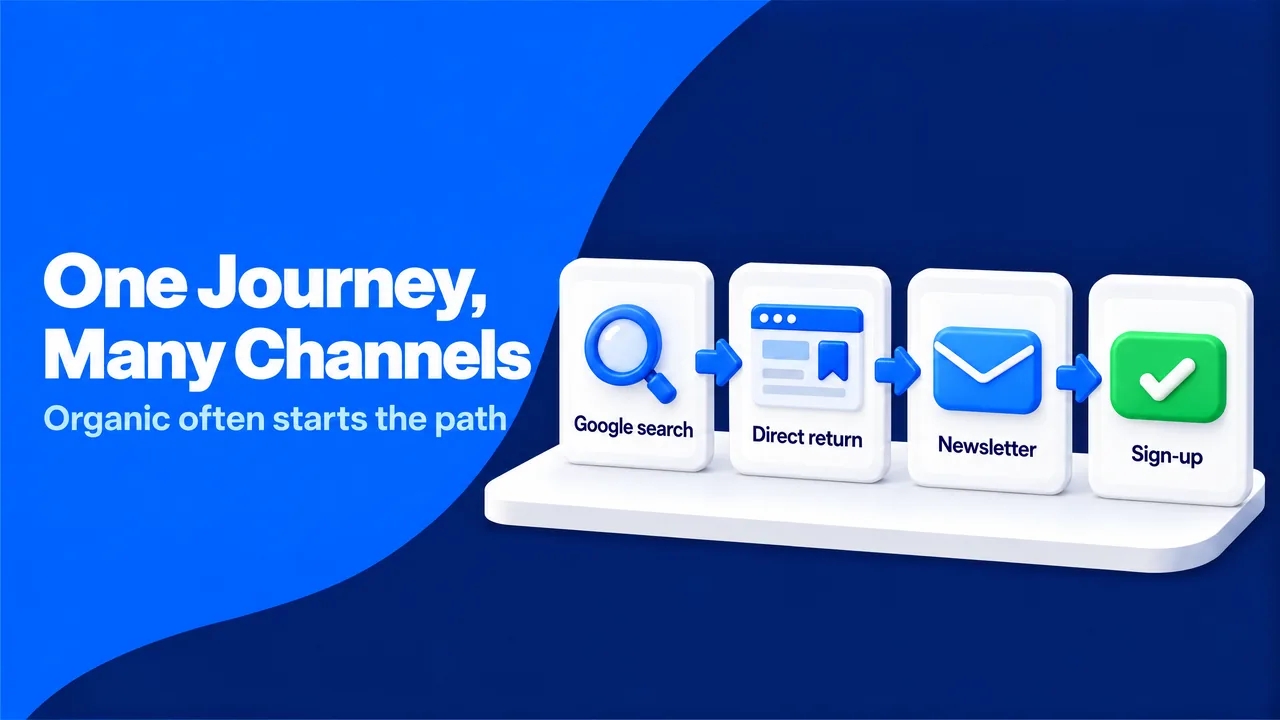
Reports give each session one channel, but real buying decisions span many sessions. This mismatch makes organic search look weaker and direct traffic look stronger than they are. The concept behind this problem is attribution, the process of assigning credit for a sale or sign-up to the touchpoints that led to it.
Picture Maria, who runs a small accounting firm. She finds your guide on payroll software through Google, which is an organic visit. A week later she types your brand name into her browser to compare prices, which is a direct visit.
Ten days later she signs up after a newsletter reminder. A report that credits only the last session gives the sale to email, and the organic visit that started the journey gets no credit at all.
GA4's attribution models for key events give Direct credit only when no other channel appears in the path, which helps. Session reports, however, still count Maria's second visit as Direct, and most dashboards are built on session reports. As a result, teams often underrate the channel that found the customer.
Picture Maria, who runs a small accounting firm. She finds your guide on payroll software through Google, which is an organic visit. A week later she types your brand name into her browser to compare prices, which is a direct visit.
Ten days later she signs up after a newsletter reminder. A report that credits only the last session gives the sale to email, and the organic visit that started the journey gets no credit at all.
GA4's attribution models for key events give Direct credit only when no other channel appears in the path, which helps. Session reports, however, still count Maria's second visit as Direct, and most dashboards are built on session reports. As a result, teams often underrate the channel that found the customer.
The Direct-to-Organic Ratio by Landing Page
A simple worksheet shows where organic visits are hiding inside Direct. For each of your top content pages, you divide Direct sessions by Organic Search sessions for the same period. You then compare each page with the median ratio for your site, not with an industry figure.
| Landing page | Organic sessions | Direct sessions | Ratio | Promoted by email or social? | Reading |
|---|---|---|---|---|---|
| /blog/payroll-software-guide | 2,400 | 300 | 0.13 | No | Normal for this site |
| /blog/tax-deadline-checklist | 1,100 | 950 | 0.86 | No | Likely shared in private chats |
| /pricing | 400 | 1,600 | 4.00 | Yes | Real direct and brand visits |
A content page with a ratio far above your site median and no email or social promotion is a strong sign of lost referrers. Such a page is often popular in private channels, so it deserves share buttons with tagged links and a clear source question on its forms. The relative comparison works because it uses your own site as the baseline, which removes differences in industry and audience.
Three Signals That Connect the Channels
Three extra signals complete the picture. Branded search volume in Search Console shows how many people look for you by name. A "How did you hear about us?" field on sign-up forms captures podcasts, friends and private chats that no tracker sees. GA4's attribution reports in the Advertising section show which channels appear before a key event.
Self-reported answers are imperfect, but they fill the exact gap that dark social creates, because people remember who recommended you even when their browser forgot. Our explainer on sessions, users and page views covers the counting basics behind every attribution report.
Self-reported answers are imperfect, but they fill the exact gap that dark social creates, because people remember who recommended you even when their browser forgot. Our explainer on sessions, users and page views covers the counting basics behind every attribution report.
Keeping Both Channels Honest: Tagging Rules and Mistakes to Avoid
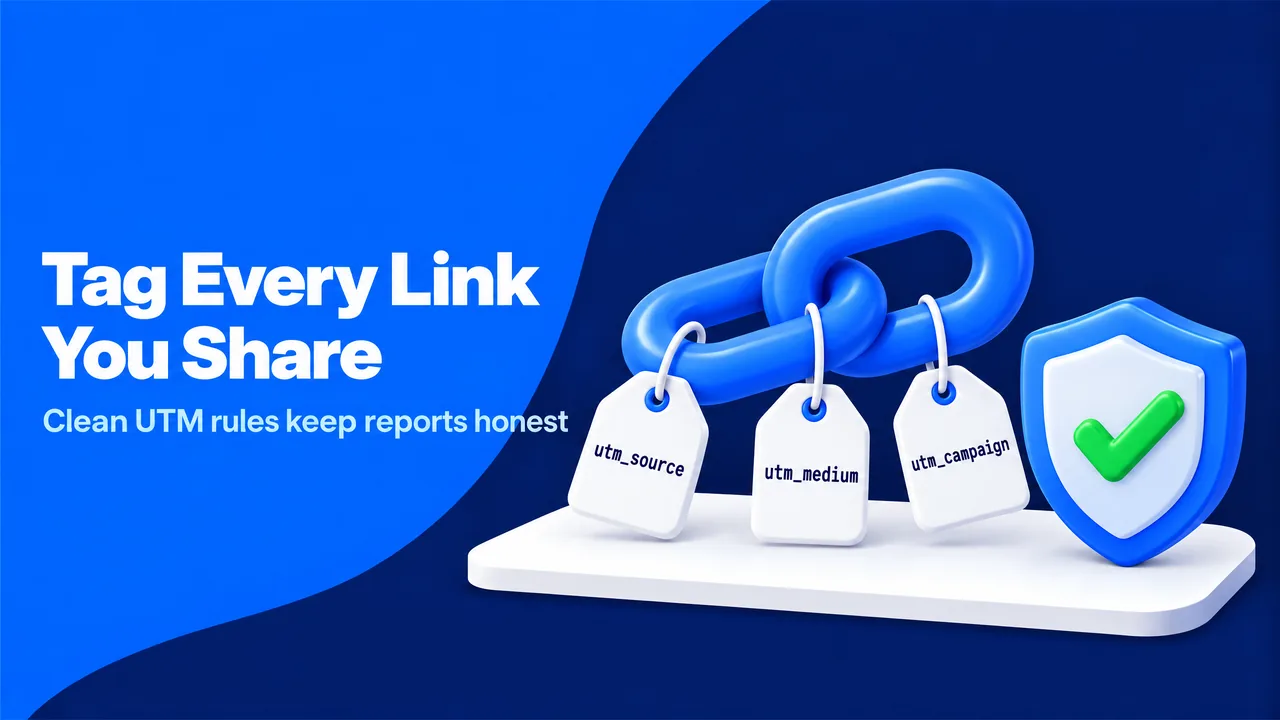
Clean reports depend on habits more than on tools. Many teams try shortcuts when the numbers look wrong. Some move part of Direct into Organic by hand in spreadsheets, while others add UTM tags to internal banners or pad their numbers with cheap automated visits.
Each shortcut makes the next decision worse, because it hides the real pattern behind a number nobody can trace.
Consider a retailer that tags its homepage banners with utm_source=homepage. A visitor arrives from Google, clicks the banner, and GA4 now credits the internal banner as the source. Within a month, organic search appears to shrink and "homepage" appears to be a top marketing channel. The tags were meant to add detail, and instead they erased the most valuable source.
Each shortcut makes the next decision worse, because it hides the real pattern behind a number nobody can trace.
Consider a retailer that tags its homepage banners with utm_source=homepage. A visitor arrives from Google, clicks the banner, and GA4 now credits the internal banner as the source. Within a month, organic search appears to shrink and "homepage" appears to be a top marketing channel. The tags were meant to add detail, and instead they erased the most valuable source.
Five Tagging Rules That Prevent Most Problems
- A fixed list of mediums. GA4 sorts sessions into channels based on the medium value. Lowercase values such as email, social, cpc, display, affiliate and referral land in the expected channels, while invented values often end up as "Unassigned".
- Tags on every link you control outside your site. Newsletters, PDFs, QR codes, social bios, partner posts and paid placements all need tags. These are the links that most often fall into Direct.
- No tags on internal links. Tags on links within your own site overwrite the original source of the visit.
- One naming convention for campaigns. A pattern such as year, month and topic (2026-11-black-friday) keeps reports readable months later.
- Clean redirects. HTTPS on every page, one-step 301 redirects and no meta refresh redirects keep both the referrer and the tags intact.
These rules work because they move the labeling decision to the moment a link is created, when you still know where it will be used. Our guide on email marketing for website traffic includes examples of tagged newsletter links.
Privacy Rules and the Limits of Measurement
Privacy law sets firm limits on measurement. Under the General Data Protection Regulation in the European Union, analytics cookies often require consent, so visitors who decline are not counted in the usual way. Both channels undercount in these markets, and the gap is not a tracking error you can fix.
Trying to recover these visits through fingerprinting or hidden identifiers is counterproductive. It breaks the law in many markets and damages trust when people notice it. A consistent consent setup and honest notes about data limits serve your team better than inflated precision.
The same honesty applies to paid traffic campaigns. Tagged campaigns show up as their own channel, so you can judge them on engagement and key events instead of mixing them into Direct. Real people are the audience for every page, and reports that reflect real people are the only ones worth optimizing.
Trying to recover these visits through fingerprinting or hidden identifiers is counterproductive. It breaks the law in many markets and damages trust when people notice it. A consistent consent setup and honest notes about data limits serve your team better than inflated precision.
The same honesty applies to paid traffic campaigns. Tagged campaigns show up as their own channel, so you can judge them on engagement and key events instead of mixing them into Direct. Real people are the audience for every page, and reports that reflect real people are the only ones worth optimizing.
Frequently Asked Questions About Direct and Organic Traffic
Is high direct traffic good or bad?
High direct traffic is good news when it comes from real returning visitors who land on the homepage and engage. If direct sessions land on deep pages, come from new users or show near-zero engagement, the share hides lost referrers or bots.
What share of direct traffic is normal?
No universal benchmark exists, because audiences share links in very different ways. A B2B audience that shares links in work chats shows more direct traffic than a consumer audience that shops through search, so your own history and your closest competitors are better reference points.
Does direct traffic help SEO?
Direct visits are not a known ranking signal, because search engines do not see your analytics account. A strong brand helps SEO in indirect ways, such as more branded searches, more mentions and more links.
Why did my direct traffic spike overnight?
Sudden spikes usually come from an untagged email or campaign, a viral share in private chats, a bot or a tracking change such as a new redirect. The landing page view and the quality check from the audit above usually identify the cause within minutes.
Does ChatGPT traffic show up as direct?
Some of it does. AI assistant visits arrive with a referrer or a source tag in some cases and with nothing in others, especially when people open answers in mobile apps. Our guide on how to track AI traffic explains how to find these visits in GA4.
Can I move direct sessions into the right channel later?
You cannot reclassify past Direct sessions reliably. Custom channel groups in GA4 can regroup sessions by source and medium, but a Direct session has no source to regroup, so the lasting fix is to tag links before people click them.