.webp)


.svg)


.svg)
.svg)
Paid ads come in a baffling array of different formats these days. While we’re all familiar with the traditional display ad, and those of us of a certain vintage will remember the horror of the pop-up that just would not close, today the landscape is significantly more sophisticated.
While there are countless mutations of the paid ad out there, we’re going to look at three of the most interesting innovations on the theme: pop-unders, native ads, and push traffic.
While there are countless mutations of the paid ad out there, we’re going to look at three of the most interesting innovations on the theme: pop-unders, native ads, and push traffic.
Pop-Under Advertising
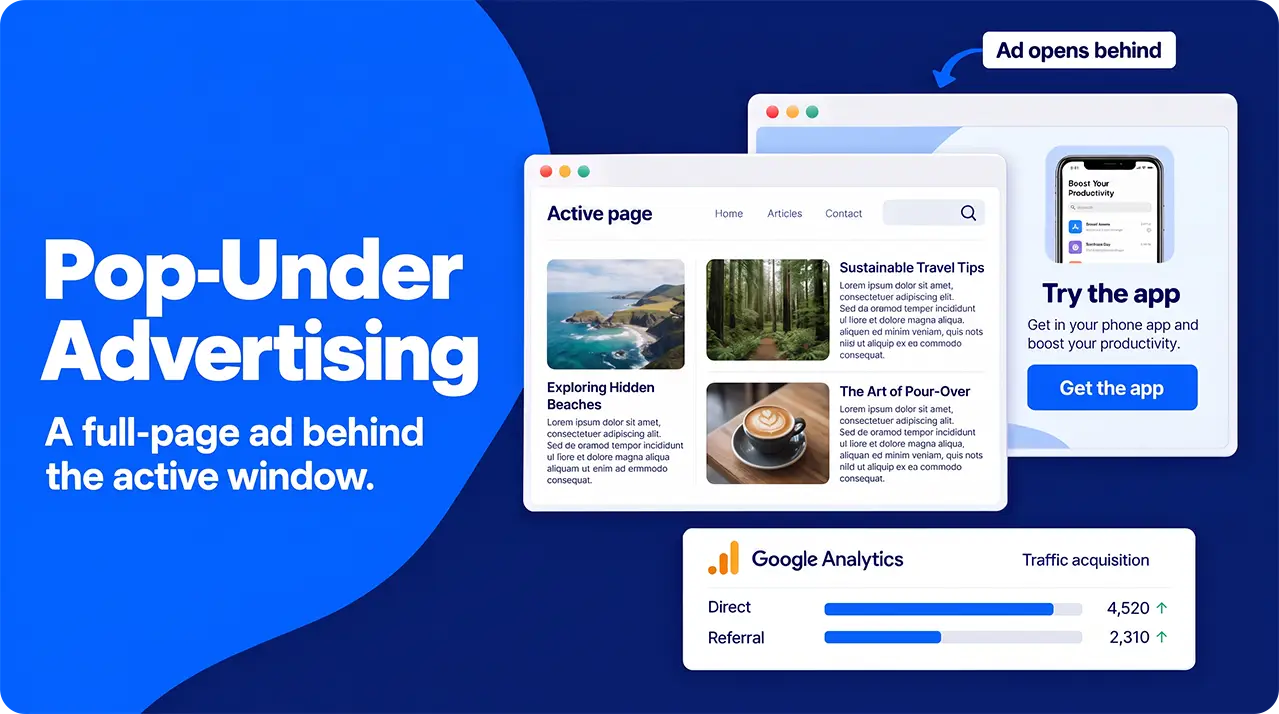
For anyone who was around for the early days of the commercial internet, they’ll likely have less than fond memories of pop-up ads appearing all over their desktop whenever they tried to do anything online. They were intrusive, annoying, and could quickly ruin your browsing experience. Pop-under takes the concept and makes it significantly less annoying.
Rather than triggering a new website window that appears over the thing you’re actually trying to look at, pop-unders open a new window behind your active one. This means that they get in the way a lot less and respectfully wait for you to finish browsing before advertising to you.
Rather than triggering a new website window that appears over the thing you’re actually trying to look at, pop-unders open a new window behind your active one. This means that they get in the way a lot less and respectfully wait for you to finish browsing before advertising to you.
Who Uses Pop-Under Ads and Why?
Pop-under ads trigger a full-page advert that opens behind a user’s current browser screen (hence the name). This makes them great for grabbing attention and beating ad-blindness while avoiding annoying your potential customers by interrupting their browsing. They’re also better at bypassing ad-blockers than most paid ad types are.
Another feature that really stands out for pop-under advertising is that, because they display as a full page, you can avoid the need to make multiple versions of the same banner. It really is a one-size-fits-all situation in the most literal sense.
While anyone could use these ads, they’re particularly popular amongst digital services, iGaming and gambling, crypto, dating and e-commerce affiliates. They stand out for these industries because, often, the action that you want the viewer to take can be built right into the page that opens. Think direct downloads of apps and sign-ups.
They’re a fantastic way of generating a huge number of impressions and raising awareness, though click-through rates from the ad might be low. Generally, they’re paid on a Cost-Per-Mille basis rather than a Cost-Per-Click, usually somewhere around $1-6 per thousand impressions, depending on your targeted locations, though they can also be billed on a cost-per-action basis.
Another feature that really stands out for pop-under advertising is that, because they display as a full page, you can avoid the need to make multiple versions of the same banner. It really is a one-size-fits-all situation in the most literal sense.
While anyone could use these ads, they’re particularly popular amongst digital services, iGaming and gambling, crypto, dating and e-commerce affiliates. They stand out for these industries because, often, the action that you want the viewer to take can be built right into the page that opens. Think direct downloads of apps and sign-ups.
They’re a fantastic way of generating a huge number of impressions and raising awareness, though click-through rates from the ad might be low. Generally, they’re paid on a Cost-Per-Mille basis rather than a Cost-Per-Click, usually somewhere around $1-6 per thousand impressions, depending on your targeted locations, though they can also be billed on a cost-per-action basis.
Why Consider Using Pop-Under Adverts?
Pop-unders stand out for a few reasons:
- Monetizing Exit Traffic- They allow you to offer a special offer to attract shoppers back to your site. This is best done on a cost-per-action model, meaning you only pay for the visitors who actually come back.
- Direct actions- if you’re trying to get people to download your app, a pop-under can trigger the relevant App Store page, significantly shortening the funnel and making life easy for your customers.
- Broad appeal- for industries that don’t require close targeting, pop-unders stand out as a cheap source of traffic. This is particularly noticeable for things like VPNs, productivity apps, and iGaming.
- Awareness Building- though click-through rates are generally pretty low, it’s very hard to ignore a full-page advert entirely.
If your advertising goals are along these lines, pop-under ads are a cost-effective and relatively simple-to-set-up way of achieving them.
What Does Pop-Under Traffic Look Like In Your Analytics and How Should You Monitor Success?
Google Analytics 4 doesn’t have a category specifically for pop-under traffic, so your visitors might appear in a couple of different ways, depending on how you’ve set up your campaign.
If you’ve not set up tracking specifically for your pop-unders (usually through embedding tracking data in your URLs- there are tools which can help you create these), they’ll show up as “direct” traffic, or might show up as a “referral” from your chosen advertising network’s domain.
In terms of tracking the success of your campaigns, we’re not just looking at raw traffic numbers, though; we need some understanding of how people reacted to your pop-unders. This is best monitored through your reach/impressions and bounce rates. You should also keep a close eye on how many people go from your pop-under prelander (a landing page which is designed to drive people to a landing page) to your site proper.
If you’ve not set up tracking specifically for your pop-unders (usually through embedding tracking data in your URLs- there are tools which can help you create these), they’ll show up as “direct” traffic, or might show up as a “referral” from your chosen advertising network’s domain.
In terms of tracking the success of your campaigns, we’re not just looking at raw traffic numbers, though; we need some understanding of how people reacted to your pop-unders. This is best monitored through your reach/impressions and bounce rates. You should also keep a close eye on how many people go from your pop-under prelander (a landing page which is designed to drive people to a landing page) to your site proper.
How To Set Up Pop-Under Campaigns
Setting up a pop-under campaign is relatively straightforward. There are 6 steps to follow:
- Build your page.
Pop-unders work by opening a new page under the one your target viewer is already browsing, so the first step is designing the page you want them to see. All the usual design rules and best practice tips apply- they should be relatively clean, quick-loading, and easy to read at a glance. Rather than directing people straight to an already existing landing page, it’s better to “warm them up” with a prelander- think of it as a landing page for your landing page. - Find An Ad Network.
There are a few ad networks out there that specialize in pop-under traffic generation. Shop around a little to see who can offer you the best deal in terms of features, targeting, and, naturally, cost. - Set up your campaign.
Follow your chosen ad network’s instructions, pasting in your URL and any tracking tags that you’re using. - Set your bidding and pricing model.
Depending on your advertising goals and what your chosen network offers, you might want to pay per impression (best for mass-appeal campaigns and awareness building) or pay per action (best for things like app downloads, mailing list sign-ups, etc). - Configure your targeting and frequency capping.
Pop-unders are great for targeting by device and browser types, allowing you to target the people most likely to take an action. If you’re aiming for app downloads, target mobile users. If you’re trying to get people to use your browser extension, target users of that browser, etc.
You can also set a limit for how many times a single person will be shown your ad in a given timeframe. Most commonly, this puts a hard limit of one impression per person per day, as this balances awareness raising with avoiding ad fatigue. - Fund your campaign and launch it.
Once you’re happy with your campaign, launch it. Check your ad network dashboard and Google Analytics regularly to monitor success and make adjustments to timing, targeting, and other features of your campaign as necessary.
Common Mistakes With Pop-Under Advertising
There are three common mistakes that people make while setting up their pop-under campaigns: ignoring frequency caps, poor targeting, and skipping the prelander page.
Firstly, skipping the prelander page in favor of directing people to your main site totally ignores the fact that the person wasn’t actively looking to visit your page. Dropping them straight into a demand is likely to put them off converting. Instead, you should “warm” them up with a prelander page, explaining your offering and guiding them through to your main site where they can do whatever you want them to, should they be interested.
Frequency caps allow you to avoid paying twice for reaching any given individual. A person is only likely to convert once, so reaching someone multiple times in a single day is a waste of your budget that could be better spent targeting more people.
Finally, pop-under campaigns work best when targeted fairly closely. There’s simply no point in telling a Firefox user about a Chrome extension, or advertising your sale in Delhi to someone in Edinburgh. While some industries can be a bit more relaxed about this, for the vast majority of us, some targeting is necessary for useful results.
Firstly, skipping the prelander page in favor of directing people to your main site totally ignores the fact that the person wasn’t actively looking to visit your page. Dropping them straight into a demand is likely to put them off converting. Instead, you should “warm” them up with a prelander page, explaining your offering and guiding them through to your main site where they can do whatever you want them to, should they be interested.
Frequency caps allow you to avoid paying twice for reaching any given individual. A person is only likely to convert once, so reaching someone multiple times in a single day is a waste of your budget that could be better spent targeting more people.
Finally, pop-under campaigns work best when targeted fairly closely. There’s simply no point in telling a Firefox user about a Chrome extension, or advertising your sale in Delhi to someone in Edinburgh. While some industries can be a bit more relaxed about this, for the vast majority of us, some targeting is necessary for useful results.
Native Advertising
Let’s face it, most forms of digital advertising have fairly low click-through rates because they are annoying. They get in the way of the browsing experience- so much so that somewhere around 30% of all internet users are now using adblockers. Even people who don’t use these apps simply mentally tune out most of the adverts they see.
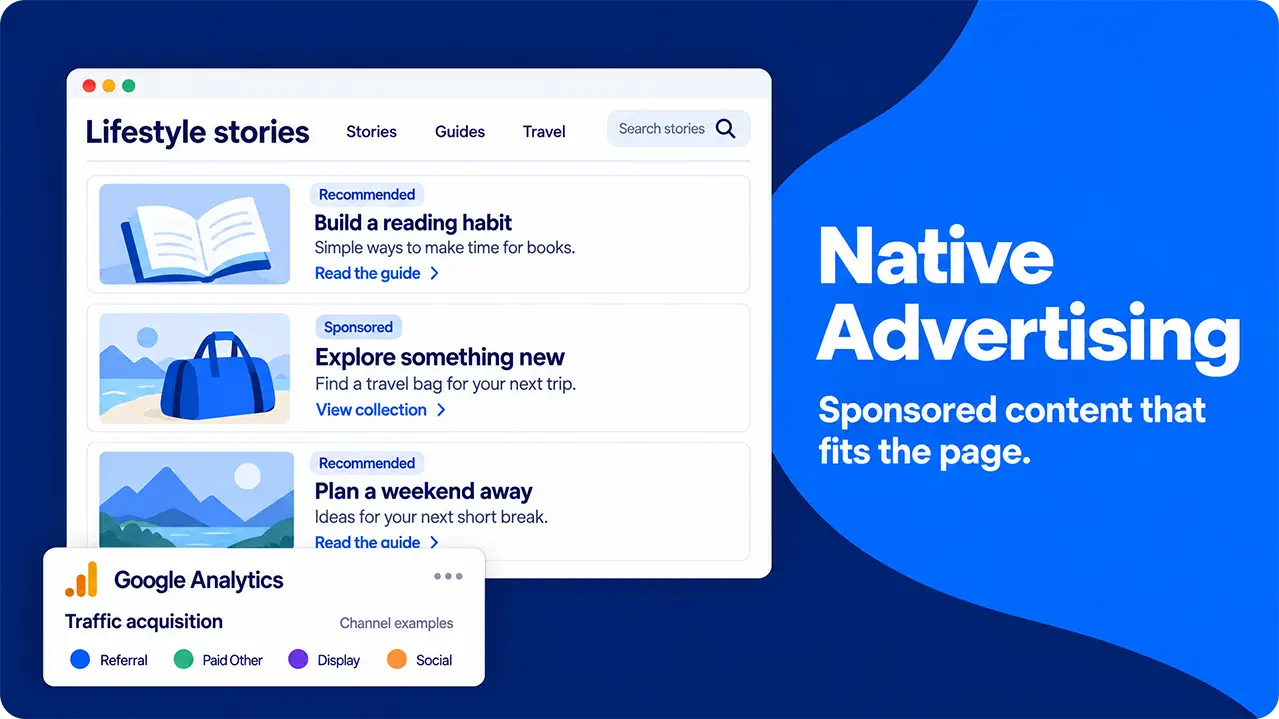
Native advertising attempts to address this aversion by being a little more subtle and trying to disrupt the browsing experience as little as possible. They’re still ads, but they try to match the tone, design and function of their host sites as closely as possible. You can usually recognise them by the inclusion of tags like “sponsored”, “promoted” or “ad”, but generally, they look like just another part of whatever page you’re browsing. They could look like a social media post, an advertorial or simply another suggested link at the end of an article.
Native advertising attempts to address this aversion by being a little more subtle and trying to disrupt the browsing experience as little as possible. They’re still ads, but they try to match the tone, design and function of their host sites as closely as possible. You can usually recognise them by the inclusion of tags like “sponsored”, “promoted” or “ad”, but generally, they look like just another part of whatever page you’re browsing. They could look like a social media post, an advertorial or simply another suggested link at the end of an article.
Who Uses Native Advertising and Why?
Native ads are incredibly common across the internet. They’re found on social media, news sites, and blogs- basically anywhere people are going to consume content of some sort. This gives them an absolutely huge potential reach.
Pretty much any industry could successfully use native ads, but they’re particularly popular for those that target education, lifestyle or entertainment- things that people love to read about anyway.
The real advantage of native advertising is that they’re both non-disruptive, allowing people to go about their browsing session in relative peace, and they’re contextually relevant to that particular session. Someone looking for reviews of TV shows is likely to be open to reading about Netflix’s latest offerings in the form of an advertorial and so on.
Pretty much any industry could successfully use native ads, but they’re particularly popular for those that target education, lifestyle or entertainment- things that people love to read about anyway.
The real advantage of native advertising is that they’re both non-disruptive, allowing people to go about their browsing session in relative peace, and they’re contextually relevant to that particular session. Someone looking for reviews of TV shows is likely to be open to reading about Netflix’s latest offerings in the form of an advertorial and so on.
Why Consider Native Advertising?
Native advertising has a few really standout advantages over other forms of paid traffic generation:
- Reduces Banner Blindness- people are so bombarded with traditional ads that they generally filter out most of them. Native advertising doesn’t look like an ad and generally offers a bit more depth than simply screaming “buy now”, making it great for actually earning some engagement.
- Avoids Annoying Potential Customers- banners and other “intrusive” forms of digital advertising disrupt people’s browsing. Native advertising aims to become part of their browsing.
- High Engagement and Click-Through - By appearing like just another piece of content, native advertising offers far better engagement rates than something like a display ad and can generate a better click-through rate than many other types of paid ads.
- Beats Ad Fatigue- by offering some real value on top of their use as an advert, native ads bypass the habit of viewing adverts as an annoyance and encourage engagement.
- Privacy-friendly and Helps Build Trust- as native ads are related to the type of content that people are already consuming, they don’t rely on privacy-invading cookies and can help build trust with your audience.
- Bypass Ad Blocks- content-based native advertising, such as advertorials, doesn’t trigger ad blockers, so your message is more likely to be consumed.
What Does Native Advertising Look Like In Your Analytics and How Should You Monitor Success?
Native advertising is slightly trickier to track than some other forms of marketing. Exactly how it appears in your analytics will vary from type to type:
- Content-based: For advertorials and other content-based native advertising, you might be limited to checking the referrals to gauge how many people have clicked your links- they’re effectively just posts on their website after all. Whoever hosts your content should be happy to share their metrics with you if you want to dig a little deeper.
- Network-based: For native advertising such as search ads, suggested content ads or similar, they will appear in the Paid Other, Display or Social sections of your reports, depending on where they were displayed.
In terms of measuring the success of a given piece of native advertising, there are a few key metrics to keep an eye on:
- Viewability: A measurement of whether or not 50% of your ad was displayed for a second or more. A higher score here means that there was more chance that your offering was seen and digested by the viewer.
- CTR- setting up a unique URL on each of your native ads, regardless of type, allows you to find out exactly which ones have been most successful.
- Engagement: depending on how you’ve set up your native advertising campaign, you might be able to get insights into bounce rate and other engagement metrics from your partners. These allow you to judge how well people are taking in your messaging.
- Conversion rate: how many people take in your ad and then go on to do the thing you wanted them to.
How to Set Up a Native Advertising Campaign
There are two main ways of getting started with a native advertising campaign: reaching out directly or working with an agency.
If you’re working directly with a host website to create advertorials, simply reach out to them and work out the terms that you’re both comfortable with. They may offer to write them for you or could accept them as a guest post. Work closely with them to ensure that your content matches the tone, purpose and feel of their site while still meeting your advertising goals.
Alternatively, partner with a specialist agency that can cover creating your content and partnerships with distributors on your behalf, while still allowing you to retain control. Most agencies will also give you far more detailed analytics reports, allowing you to refine your efforts more carefully.
If you’re working directly with a host website to create advertorials, simply reach out to them and work out the terms that you’re both comfortable with. They may offer to write them for you or could accept them as a guest post. Work closely with them to ensure that your content matches the tone, purpose and feel of their site while still meeting your advertising goals.
Alternatively, partner with a specialist agency that can cover creating your content and partnerships with distributors on your behalf, while still allowing you to retain control. Most agencies will also give you far more detailed analytics reports, allowing you to refine your efforts more carefully.
Common Mistakes With Native Advertising
While native advertising allows you to reach people when they’re not particularly in the mood to be advertised to, this is as much a potential weakness as a strength. Pushing a “salesy” text on someone who’s simply looking for some information is likely to be a turn-off and result in them navigating away.
A more subtle approach is necessary to get results- aim to inform and entertain the people who are consuming your content rather than push a hard sell on them. Native ads offer a fantastic way to warm up traffic before they even realise that they’re being advertised to.
Another common issue is neglecting the pre-campaign research. You need to have a decent understanding of who you’re targeting, what they want to see and what your competitors are doing before you start creating your campaigns. This allows you to target various buyer personas separately, producing content that appeals to them more directly.
Finally, a lack of transparency often trips up native campaigns. Many countries require adverts to be declared by law, marking them out as not just another piece of content. This applies to paid partnerships with publishers, working with influencers and anything else that might not instantly seem like an advert to someone only glancing at it casually.
A more subtle approach is necessary to get results- aim to inform and entertain the people who are consuming your content rather than push a hard sell on them. Native ads offer a fantastic way to warm up traffic before they even realise that they’re being advertised to.
Another common issue is neglecting the pre-campaign research. You need to have a decent understanding of who you’re targeting, what they want to see and what your competitors are doing before you start creating your campaigns. This allows you to target various buyer personas separately, producing content that appeals to them more directly.
Finally, a lack of transparency often trips up native campaigns. Many countries require adverts to be declared by law, marking them out as not just another piece of content. This applies to paid partnerships with publishers, working with influencers and anything else that might not instantly seem like an advert to someone only glancing at it casually.
Push Adverts
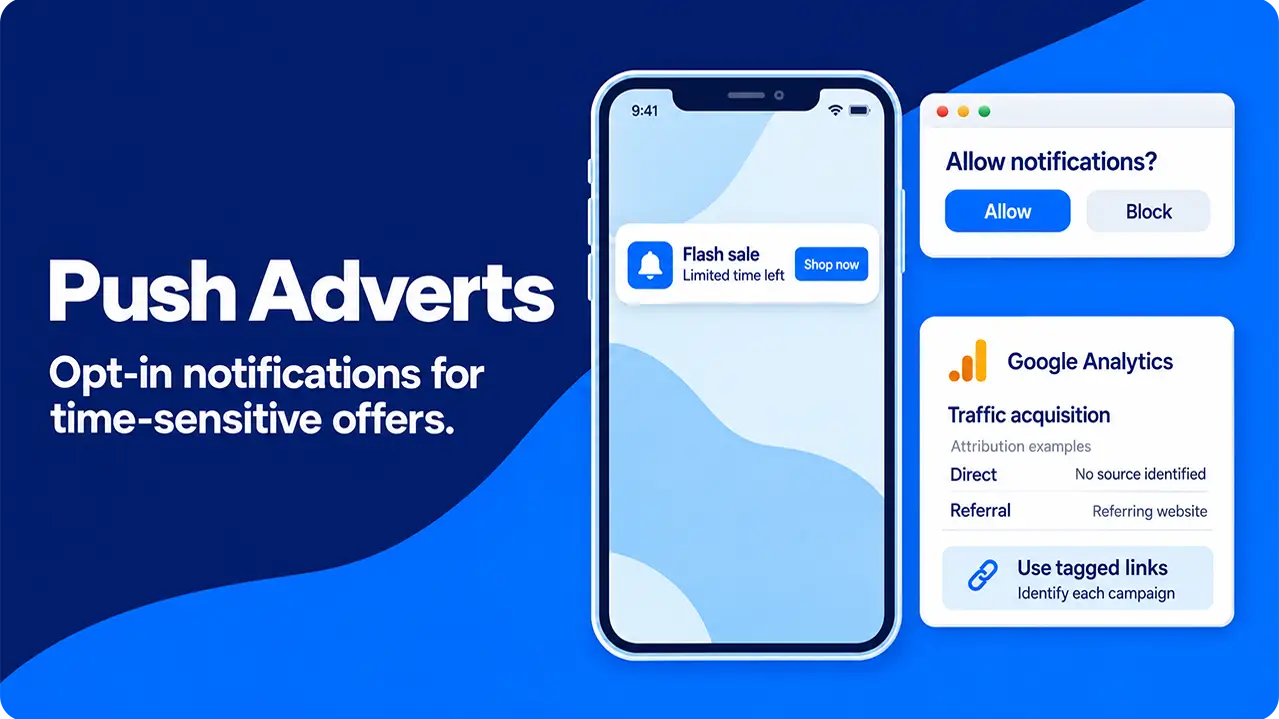
Push traffic uses notifications, most commonly on people’s phones (though they can also target desktop browsers), to draw attention to an advert. Given that around 92% of internet users around the globe now use these mobile devices to get online at least some of the time, this represents a potentially massive audience.
They appear in pretty much the same way as a push notification from an app you’ve already downloaded, consisting of a small image and a couple of lines of text, sometimes triggering a notification sound or short buzz from your phone to draw attention.
They appear in pretty much the same way as a push notification from an app you’ve already downloaded, consisting of a small image and a couple of lines of text, sometimes triggering a notification sound or short buzz from your phone to draw attention.
Who Uses Push Ads and Why?
Push ads are incredibly versatile and can be used to great effect by lots of different industries to draw attention to fast, impulse-driven decisions or time-limited offers. This marks them out as fantastic for businesses that report news, e-commerce, iGaming, sweepstakes and prize draws and anything else that might require quick attention.
They’re quick to set up, not requiring a lot of imagery or text to be created, and they reach people even when they’re not actively browsing. Though they require consent (usually obtained via a “we would like to send you notifications” message when browsing), this access to people’s attention is hard to beat.
They’re quick to set up, not requiring a lot of imagery or text to be created, and they reach people even when they’re not actively browsing. Though they require consent (usually obtained via a “we would like to send you notifications” message when browsing), this access to people’s attention is hard to beat.
Why Consider Push Advertising?
Push advertising stands out for one thing above all others: immediate visibility. As soon as someone’s phone goes “ping”, there’s a better than even chance that they’ll look at it. Even without unlocking their screen, your ad has been delivered, digested and has earned you the attention you were looking for.
It also allows you to communicate time-sensitive information (which could range from breaking news to a flash sale) in real-time. You could use this feature to engender a sense of urgency, promoting quick responses, through messaging like “limited time left” or “final hours to subscribe”.
Finally, as they don’t rely on a browser, once someone has consented to receive notifications, they’re all but immune to ad blockers.
It also allows you to communicate time-sensitive information (which could range from breaking news to a flash sale) in real-time. You could use this feature to engender a sense of urgency, promoting quick responses, through messaging like “limited time left” or “final hours to subscribe”.
Finally, as they don’t rely on a browser, once someone has consented to receive notifications, they’re all but immune to ad blockers.
What do Push Ads Look Like In Your Analytics and How Should You Monitor Success?
Google Analytics 4 can track push ads in various ways, depending on how they’re set up.
Ideally, your push ads will link to a “tagged” URL that will allow you to monitor exactly which ads got the responses you were looking for. Without these extra bits of information in the URL, they’re likely to appear as “referral” or “direct” traffic, alongside everyone who manually entered your web address or clicked a link pointing towards your page.
While it may not be quite as accurate as a properly tagged push ad, you can get a good sense of how successful any particular untagged ad has been by comparing your traffic numbers to the time that you sent the push notification out. As the response tends to be quick, a sudden jump that corresponds to your ad hitting people’s phones suggests that it has had the desired effect.
In terms of measuring how successful a particular push ad has been, there are a few metrics to examine, which, as a list-based system, share a lot of ground with email marketing:
Ideally, your push ads will link to a “tagged” URL that will allow you to monitor exactly which ads got the responses you were looking for. Without these extra bits of information in the URL, they’re likely to appear as “referral” or “direct” traffic, alongside everyone who manually entered your web address or clicked a link pointing towards your page.
While it may not be quite as accurate as a properly tagged push ad, you can get a good sense of how successful any particular untagged ad has been by comparing your traffic numbers to the time that you sent the push notification out. As the response tends to be quick, a sudden jump that corresponds to your ad hitting people’s phones suggests that it has had the desired effect.
In terms of measuring how successful a particular push ad has been, there are a few metrics to examine, which, as a list-based system, share a lot of ground with email marketing:
- Delivery rate: how many of the ads you sent out actually reached someone. People withdrawing consent, being out of network range, or other factors like changing their phone handset might get in the way of your ads being delivered.
- Click-through rate: how many of the ads that were delivered actually resulted in a website visit. As push notifications can be dismissed from the lock screen or notification bar, this metric lets you know if your ad grabbed enough attention.
- Opt-out rate: the number of people who either unsubscribe or block future notifications after receiving one.
How to Set Up a Push Advertising Campaign
Setting up a push advertising campaign is remarkably straightforward. As they’re best used for time-sensitive messaging, most platforms operate a self-service model, giving you access to the tools you need to send out your push notifications and putting you in total control.
You can target by geographic location, device type and operating system, how long someone has been subscribed to your list for, how active they are on your site and filter by how often they’ve been targeted recently (top tip: don’t bombard people’s phones with notifications too often- they’ll simply unsubscribe and avoid you in future).
Finally, create your notification. You generally have a single, short headline, one line of body and an image to grab attention. Focus on urgency with lines such as “time is running out - shop the sale now” or similar messages.
Depending on the platform you’re using and your goals, you may choose from a variety of different payment models:
You can target by geographic location, device type and operating system, how long someone has been subscribed to your list for, how active they are on your site and filter by how often they’ve been targeted recently (top tip: don’t bombard people’s phones with notifications too often- they’ll simply unsubscribe and avoid you in future).
Finally, create your notification. You generally have a single, short headline, one line of body and an image to grab attention. Focus on urgency with lines such as “time is running out - shop the sale now” or similar messages.
Depending on the platform you’re using and your goals, you may choose from a variety of different payment models:
- Cost per click: similar to most digital advertising- you pay for each click that your notification receives. This is ideal for campaigns that are going out to a lot of recipients, as you only pay for the notifications that got a response.
- Cost per mile: You pay for a set number of deliveries. This is ideal if you’re on a tight budget, as there will be no nasty surprises.
- Cost per action: You only pay for notifications which trigger a specific action (most commonly a sale or a sign-up). This can offer the best ROI, but it comes with limited data on the unsuccessful notifications.
Common Mistakes With Push Adverts
There are three major mistakes that people often make with push adverts that render their campaigns ineffective: not segmenting their audiences, pushing too often and putting out bad texts and images.
Firstly, audience segmentation matters. A generic “visit us now” message sent out to your entire subscriber list is unlikely to tempt anyone to actually visit. Instead, segment your audience by the data that you hold on them. The simplest way to do this is by how long they’ve been subscribed or when they last interacted with your site. This allows you to send a message welcoming recent sign-ups and encouraging them to come back, or retargeting previous customers who haven’t visited recently.
Secondly, while people are glued to their phones, notifications actually trigger a range of responses, from dopamine spikes to anxiety. Targeting the same group repeatedly over too short a time is likely to push their response towards the negative end of this spectrum and result in them blocking further notifications from you.
Lastly, with only a few words and a single image to convey your message, it pays to ensure that every single word is serving a purpose. It’s commonly said amongst copywriters that short-form content is harder to write than long-form for this very reason. An overly generic Call to Action is unlikely to gain much response, but getting too targeted will exclude a large proportion of your potential reach.
Firstly, audience segmentation matters. A generic “visit us now” message sent out to your entire subscriber list is unlikely to tempt anyone to actually visit. Instead, segment your audience by the data that you hold on them. The simplest way to do this is by how long they’ve been subscribed or when they last interacted with your site. This allows you to send a message welcoming recent sign-ups and encouraging them to come back, or retargeting previous customers who haven’t visited recently.
Secondly, while people are glued to their phones, notifications actually trigger a range of responses, from dopamine spikes to anxiety. Targeting the same group repeatedly over too short a time is likely to push their response towards the negative end of this spectrum and result in them blocking further notifications from you.
Lastly, with only a few words and a single image to convey your message, it pays to ensure that every single word is serving a purpose. It’s commonly said amongst copywriters that short-form content is harder to write than long-form for this very reason. An overly generic Call to Action is unlikely to gain much response, but getting too targeted will exclude a large proportion of your potential reach.
Conclusion: Comparing Pop-Under, Native and Push Advertising
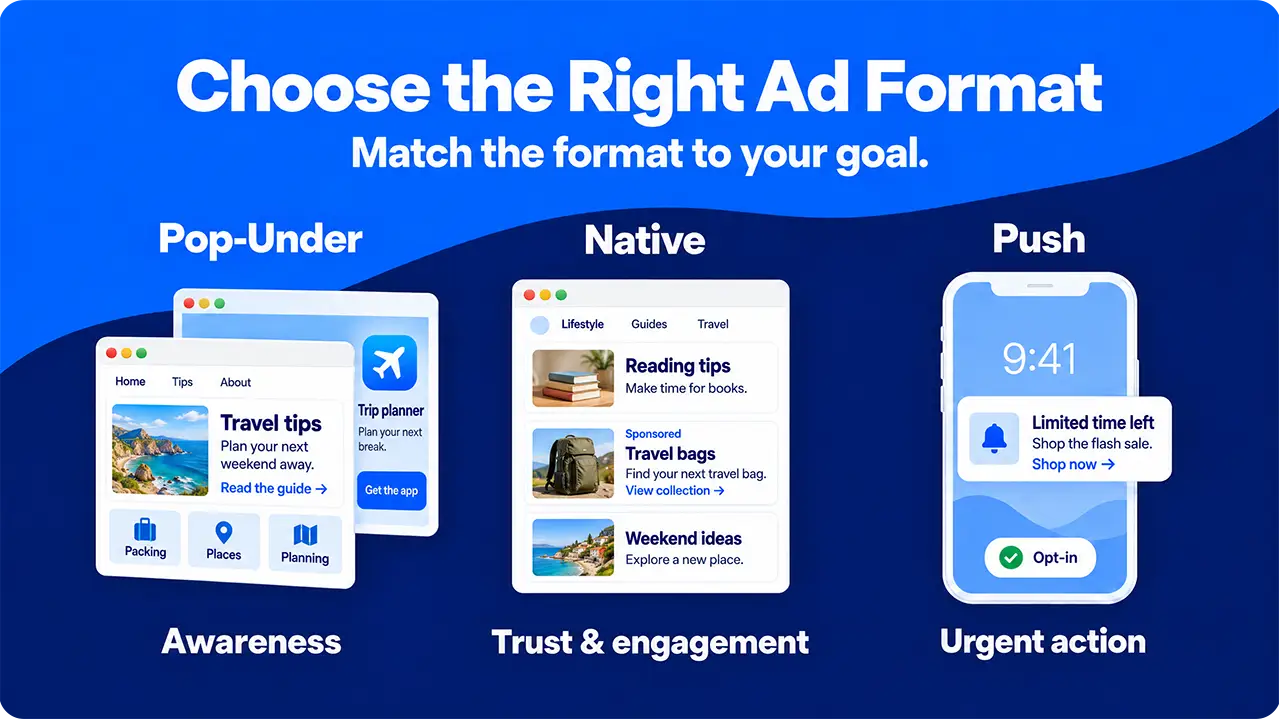
Each of the three types of paid ads that we’ve covered here comes with its own set of advantages and disadvantages. To help you work out which is best for your current goals, we’ve summarized them in this table:
Advertising type
Cost
Targeting
Best For
Main Weaknesses
Main Strengths
Intrusitiveness
Pop-Under
Low
Targeted by browser, location and device type
Mass appeal and awareness building
Low user intent results in poor CTRs
Allows a gentle “warming” of potential traffic, meaning they are ready to sign up when they visit.
Relatively low: waits for viewer to finish what they were doing
Native
High initial costs
Vague targeting by interest and curiosity
Awareness and trust building with engaged audiences
Expensive to create and often slow to get publisher approval
Allows a detailed exploration of a topic and avoids the “hard sell” which can turn off customers
Low: appears as a natural piece of content
Push
Varies depending on pricing model selected.
Target by location, age of subscription and previous interactions
Quick results and time-sensitive messages
High opt-out rate and limited content length
Allows urgent messages to be sent and can generate instant results
High: triggers an alert on the desktop or mobile device they’re pushed to
Ultimately, while each of these falls under the broad category of “paid ads”, they’re very different tools and produce very different results.
If you’re aiming for a quick, impulse-driven action, push ads are for you. They’re quick to set up, relatively easy to target, and they take the recipient right to your target page. They’re not much use for nurturing a relationship or explaining your products.
Native advertising, on the other hand, is the opposite. It’s not a quick process, but it does encourage people to look a little deeper. It’s unobtrusive and allows you to really guide your audience through your products without coming across as “pushy” or “salesy”, building trust.
Pop-under adverts sit somewhere in the middle. As a full-page ad, they give you space to explore your topic, but as an unexpected intrusion into someone’s browsing, they have to grab attention quickly.
Which makes most sense to use will depend on your advertising goals, budget and the nature of your business.
If you’re aiming for a quick, impulse-driven action, push ads are for you. They’re quick to set up, relatively easy to target, and they take the recipient right to your target page. They’re not much use for nurturing a relationship or explaining your products.
Native advertising, on the other hand, is the opposite. It’s not a quick process, but it does encourage people to look a little deeper. It’s unobtrusive and allows you to really guide your audience through your products without coming across as “pushy” or “salesy”, building trust.
Pop-under adverts sit somewhere in the middle. As a full-page ad, they give you space to explore your topic, but as an unexpected intrusion into someone’s browsing, they have to grab attention quickly.
Which makes most sense to use will depend on your advertising goals, budget and the nature of your business.