.webp)


.svg)


.svg)
.svg)
A/B testing lets you refine your marketing efforts, one element at a time. While it can be used on anything from the images on your display ads all the way up to the copy on your blogs, today we’re going to take a look at how to use A/B testing to perfect your landing pages and get the traffic that finds them to convert.
What Is an A/B Test?
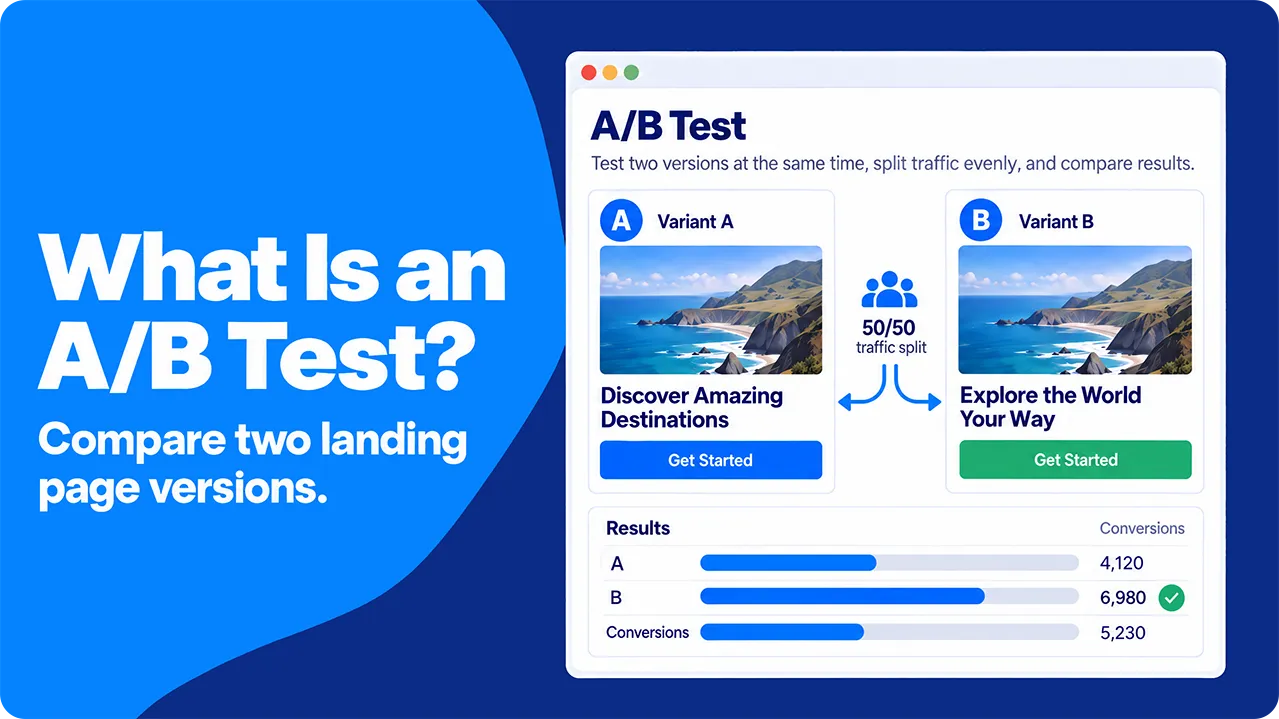
A/B testing, also called “split testing”, basically means producing two copies of a piece of material with a single difference between them. You run both versions at the same time and, at the end of the test period, you compare your results to see which was most effective.
Once you’ve completed a test, you can discard the less effective iteration and, if you’re happy with the results you’re getting, leave it there. If you want to test other versions, you can rerun the test until you find you’re getting the level of conversion that you’re looking for.
Once you’ve completed a test, you can discard the less effective iteration and, if you’re happy with the results you’re getting, leave it there. If you want to test other versions, you can rerun the test until you find you’re getting the level of conversion that you’re looking for.
What Metrics Can I Test Using A/B Testing?
Split testing allows you to compare the impact of all kinds of changes to your landing pages. It’s a handy way of checking the impact of almost any change and can be used to test almost any relevant metric, including conversions, sales, and form sign-ups.
The important thing is to choose one primary metric for each test. The primary metric decides the winner, so you avoid the temptation to pick whichever number looks best after the test ends. If your landing page exists to earn mailing list sign-ups, sign-ups are your primary metric.
You still watch two or three other numbers, known as guardrail metrics. A guardrail metric is a number that must not get worse while the primary metric improves, such as form abandonment or refund requests. A new headline that lifts sign-ups by 10% while doubling unsubscribes in the first week is not a real win, and guardrails catch that before you roll the change out.
The key metrics that are easiest to test using this method are:
The important thing is to choose one primary metric for each test. The primary metric decides the winner, so you avoid the temptation to pick whichever number looks best after the test ends. If your landing page exists to earn mailing list sign-ups, sign-ups are your primary metric.
You still watch two or three other numbers, known as guardrail metrics. A guardrail metric is a number that must not get worse while the primary metric improves, such as form abandonment or refund requests. A new headline that lifts sign-ups by 10% while doubling unsubscribes in the first week is not a real win, and guardrails catch that before you roll the change out.
The key metrics that are easiest to test using this method are:
- Click-through rate (CTR): the percentage of visitors who click your call to action. For ads,click-through rate means clicks divided by impressions, so it helps to state which of the two you are testing.
- Bounce rate: the percentage of sessions that end without any engagement. Classic analytics counted every single-page visit as a bounce. Google Analytics 4 counts a session as a bounce when it lasts 10 seconds or less, has no key event and includes only one page view.
- Conversion rate: the percentage of visitors who take the action you want them to take.
- Scroll depth: how far down the page people scroll while reading your content.
- Abandonment rate: the percentage of people who start your desired action (say, filling in a form) and fail to complete it.
- Average order value (AOV): total revenue divided by the number of orders.
- Revenue per visitor: total revenue divided by the number of visitors, including those who bought nothing.
AOV and revenue per visitor can move in opposite directions. A page that removes a discount may raise AOV while fewer people buy, so revenue per visitor is the safer number when sales are your goal.
Which Variables Can I Use A/B Testing to Refine?
The great thing about A/B tests is that they can be used to test almost any element of your landing pages. You might want to focus on the effects of something technical like loading times, or on something as small as how visible your call-to-action button is. The colour itself matters less than contrast. A button that blends into the page is easy to miss whatever its colour, so a test of contrast or size usually tells you more than a test of orange against blue.
The important thing is to only test a single variable with each iteration of the site. This means that you can draw solid conclusions about its impact without muddying the waters with questions over which change caused which result.
The important thing is to only test a single variable with each iteration of the site. This means that you can draw solid conclusions about its impact without muddying the waters with questions over which change caused which result.
Why Use Paid Traffic To Test Your Landing Pages?
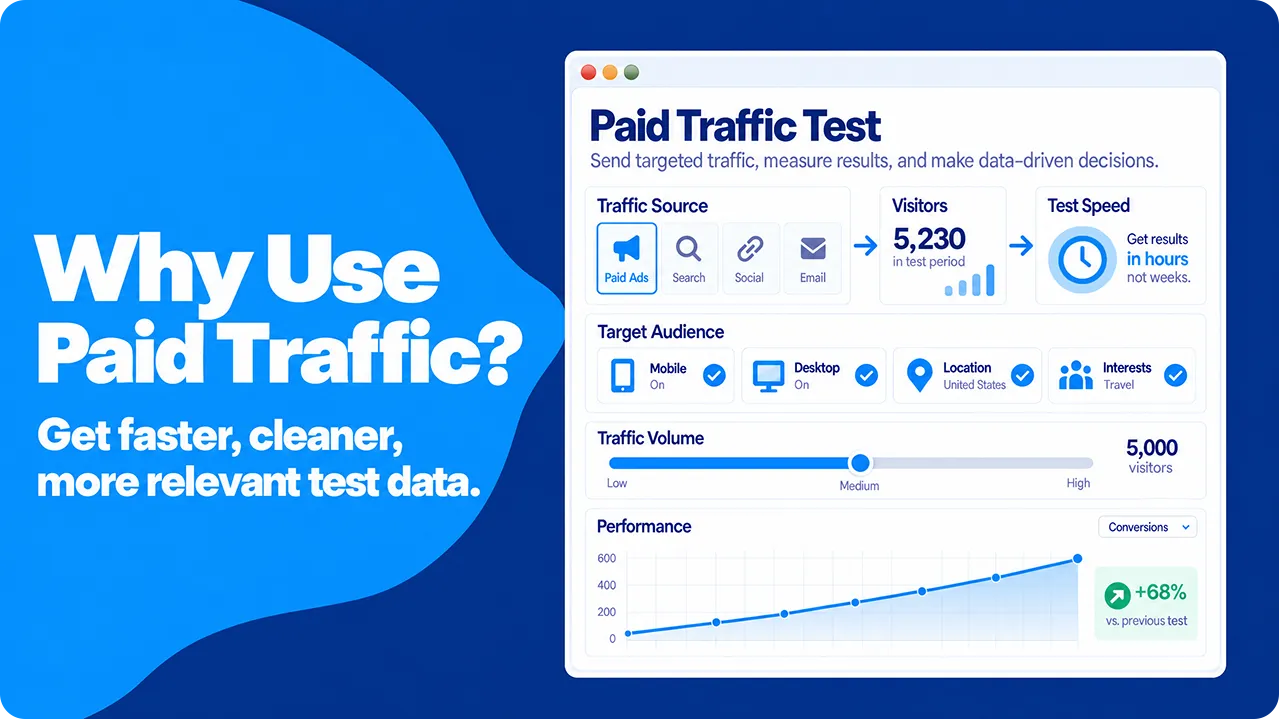
While you could absolutely run a successful series of A/B tests on your landing pages through natural organic traffic, using paid sources such as ads gives us a few clear advantages:
- Time: organic traffic growth tends to be a slow, steady process. Paid traffic can start gathering information almost instantly, allowing a much quicker answer to your hypothesis.
- Control: paid campaigns let you decide how many visitors arrive each day, when the test starts and stops, and how much it costs. You can also keep the targeting identical for the whole test, so the only thing that changes between version A and version B is the page itself. The 50/50 split between versions is something you set up on your own site, as Step 5 explains, because the ad platform alone cannot guarantee it.
- Segmentation: paid advertising lets you choose who sees your ads by location, device and interests. The visitors in your test then resemble the market you want to win, so the result is more relevant to the customers you care about. The result applies to that audience only. A page that wins with mobile visitors in one country may not win with desktop searchers somewhere else.
SparkTraffic, an advertising platform that shows your ads on partner publisher websites, is built around this kind of control. You choose the countries, cities and devices for a campaign and set a daily or monthly budget, so the audience mix and visitor volume stay stable for the whole test. When you send this geo-targeted website traffic to one campaign URL and split it on your own site, both page versions receive the same kind of visitor, which is the condition a fair A/B test depends on.
In short, using paid ads to generate the traffic for your split tests means that you get more relevant results, quicker.
In short, using paid ads to generate the traffic for your split tests means that you get more relevant results, quicker.
How to Use Paid Traffic to Run an A/B Test on Your Landing Pages
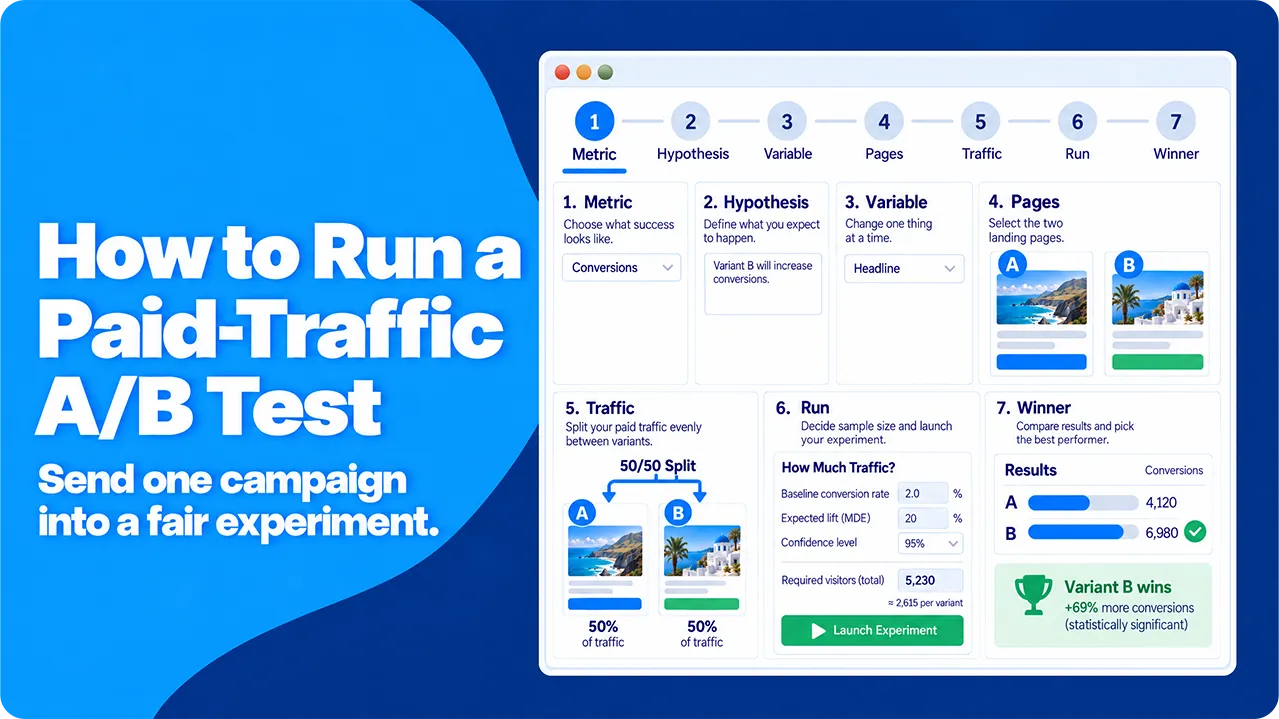
A landing page’s purpose is to guide people to take a certain action after they click a link. They could discover this landing page in a few different ways: scrolling social media, through a search, an AI recommendation, or, in our case today, from clicking an ad of some description.
The purpose of an A/B test is to refine your landing page by creating two slightly different versions and collecting enough data to tell whether the difference between them is statistically significant. This means you have to wait until you have enough evidence that the better-performing version gets its results from those changes.
Breaking it down into stages, the process goes something like this:
The purpose of an A/B test is to refine your landing page by creating two slightly different versions and collecting enough data to tell whether the difference between them is statistically significant. This means you have to wait until you have enough evidence that the better-performing version gets its results from those changes.
Breaking it down into stages, the process goes something like this:
Step 1: Pick A Primary Metric
A/B testing works better when you set a clear goal from the outset, rather than a more general “gets better results”. To this end, it’s best to pick a single, business-relevant metric such as the impact on click-through rates, signups, or sales.
This will be your “primary metric”, which will form the core comparison point in your results. It won’t be the only significant finding, but it will be the most important.
This will be your “primary metric”, which will form the core comparison point in your results. It won’t be the only significant finding, but it will be the most important.
Step 2: Set Your Hypothesis
As A/B testing is a relatively scientific way of evaluating your landing pages, we’re going to need a hypothesis to test. This should relate directly to the metric that you’re looking to improve. Something like “Reducing the number of fields on the signup form will increase mailing list subscriptions” or “Changing the H1 to a benefits-based statement rather than a general one will increase sales”.
Step 3: Isolate Your Variable
The variable is the change that we’re testing. To ensure that the data we’re collecting is clear and valid, it’s important to only change one element for each test (you can always run another test later to check other theories you may have).
The variable could be almost any element of your landing page, but commonly tested ones include things like:
The variable could be almost any element of your landing page, but commonly tested ones include things like:
- Hero image: the top banner on your page, the first thing people see when they visit
- H1: the first text that they read
- Layout: how the page is presented
- Position of CTA: where the call to action sits on the page
- CTA wording: how the CTA is presented to visitors
- Form size: the number of fields someone has to fill in
- Copy: the text that populates your page
- Loading time: does quicker loading result in more conversions
Of course, you could run an A/B test on any element of your page, though the ones listed above are likely to have the biggest impacts and be the easiest to draw clear conclusions from.
Step 4: Prepare Your Pages
The final step before we can start generating traffic and running the test is to prepare your pages. For most landing-page tests, two versions work best. Each extra version splits your traffic further, so a test with three versions needs at least 50% more visitors in total than a test with two. Comparing several versions at once also raises the chance of a false winner.
You can still run an A/B/n test with three or four versions if your traffic allows it. Either way, each version should differ from the control in one element only. If you want to test several elements together, that is a different method called multivariate testing.
Your existing page is the “A” part and acts as a control, setting the baseline. The version with the single change is the “B” element and allows you to test your hypothesis.
You can still run an A/B/n test with three or four versions if your traffic allows it. Either way, each version should differ from the control in one element only. If you want to test several elements together, that is a different method called multivariate testing.
Your existing page is the “A” part and acts as a control, setting the baseline. The version with the single change is the “B” element and allows you to test your hypothesis.
Step 5: Set Up Your Paid Traffic
Most paid ad platforms have built-in experiment features, but they are built to compare ads and campaigns, not landing pages. In Google Ads, for example, a campaign experiment splits your budget between an original campaign and a trial campaign. That is useful for testing bids or ad copy, but it does not guarantee that your two landing pages receive equal or comparable visitors.
The reason is that ad platforms optimize delivery. When two ads point to two different pages, the platform’s algorithm decides who sees each ad, and it shows each one to the people it predicts will respond. Researchers call this divergent delivery. A 2025 study by Braun and Schwartz in the Journal of Marketing found that it can distort the size of an ad test result and even reverse its direction.
The safer setup is to send all paid visitors to one campaign URL and split them on your own site. A testing script or a server-side rule assigns each visitor at random to version A or version B, 50/50. The same rule stores the assignment in a first-party cookie, so a returning visitor always sees the same version. Without this, one person can see both versions, and their behaviour then counts toward both groups and blurs the difference you are trying to measure.
If your setup forces you to use two separate campaigns, give them identical targeting, the same start time and the same daily cap. Before you read any results, compare the device and location mix of the two groups. If one group has far more mobile visitors than the other, the comparison is not fair.
The reason is that ad platforms optimize delivery. When two ads point to two different pages, the platform’s algorithm decides who sees each ad, and it shows each one to the people it predicts will respond. Researchers call this divergent delivery. A 2025 study by Braun and Schwartz in the Journal of Marketing found that it can distort the size of an ad test result and even reverse its direction.
The safer setup is to send all paid visitors to one campaign URL and split them on your own site. A testing script or a server-side rule assigns each visitor at random to version A or version B, 50/50. The same rule stores the assignment in a first-party cookie, so a returning visitor always sees the same version. Without this, one person can see both versions, and their behaviour then counts toward both groups and blurs the difference you are trying to measure.
If your setup forces you to use two separate campaigns, give them identical targeting, the same start time and the same daily cap. Before you read any results, compare the device and location mix of the two groups. If one group has far more mobile visitors than the other, the comparison is not fair.
How Much Traffic Should I Buy?
There is no single number of visits that makes a test accurate, because the number depends on four inputs. The first is your baseline conversion rate, which is how often the control page converts today. The second is the smallest lift you want to be able to detect. The third and fourth are the significance level and the statistical power, which most teams set at 95% confidence and 80% power.
Here is how the numbers work out for a page that converts at 4%. To detect a 20% lift (from 4.0% to 4.8%), you need about 10,300 visitors per version. To detect a 10% lift (from 4.0% to 4.4%), you need about 39,500 per version, almost four times as many. A page that converts at 2% needs about 80,700 visitors per version to detect a 10% lift, while a page at 10% needs about 14,800.
Duration does not change these numbers. A test that reaches 10,300 visitors per version in 14 days is as reliable as one that takes 30 days to reach the same total, as long as both cover full weeks. You can turn the sample size into a budget before you start: visitors per version × 2 × cost per visit. At an example cost of $0.50 per visit, the 20% lift test above costs about $10,300.
If that budget is too high, you have two honest options. You can test a bolder change, because larger lifts need far fewer visitors. Or you can choose a primary metric with a higher base rate, such as engagement rate: at around 50%, 1,000 visitors per version can detect a difference of about 6 percentage points. The method behind these numbers is called sample size determination, and free online calculators do the arithmetic for you.
Here is how the numbers work out for a page that converts at 4%. To detect a 20% lift (from 4.0% to 4.8%), you need about 10,300 visitors per version. To detect a 10% lift (from 4.0% to 4.4%), you need about 39,500 per version, almost four times as many. A page that converts at 2% needs about 80,700 visitors per version to detect a 10% lift, while a page at 10% needs about 14,800.
Duration does not change these numbers. A test that reaches 10,300 visitors per version in 14 days is as reliable as one that takes 30 days to reach the same total, as long as both cover full weeks. You can turn the sample size into a budget before you start: visitors per version × 2 × cost per visit. At an example cost of $0.50 per visit, the 20% lift test above costs about $10,300.
If that budget is too high, you have two honest options. You can test a bolder change, because larger lifts need far fewer visitors. Or you can choose a primary metric with a higher base rate, such as engagement rate: at around 50%, 1,000 visitors per version can detect a difference of about 6 percentage points. The method behind these numbers is called sample size determination, and free online calculators do the arithmetic for you.
Step 6: Run the Test
Before the first visitor arrives, you fix the sample size from the previous step and the duration needed to reach it. We recommend whole weeks (7, 14, 21 or 28 days), so every weekday appears equally in both versions. Then you wait for the test to finish before you decide anything.
The reason is that random noise is largest early in a test. If you check the results every day and stop the first time one version looks significant, your real false-positive rate rises far above the 5% you planned. Statisticians call this optional stopping, and marketers often call it peeking.
A fixed plan cannot remove chance, but it keeps the risk of a false winner at the level you chose. It also protects your data from short-lived distortions such as:
The reason is that random noise is largest early in a test. If you check the results every day and stop the first time one version looks significant, your real false-positive rate rises far above the 5% you planned. Statisticians call this optional stopping, and marketers often call it peeking.
A fixed plan cannot remove chance, but it keeps the risk of a false winner at the level you chose. It also protects your data from short-lived distortions such as:
- Time-of-day and day-of-week patterns
- A few heavy users who visit many times
- One-off events, such as a competitor’s sale or a news story
Selecting a “winner” before the test has run its full course simply because it seems to be doing better in the early stages risks implementing a false positive and damaging your results long-term.
What represents a “fair” test will vary from case to case, but the general rule is that you need to run it for long enough and with enough visitors for your results to reach statistical significance. The sample size you calculated before launch tells you what “long enough” and “enough visitors” mean for your test.
What represents a “fair” test will vary from case to case, but the general rule is that you need to run it for long enough and with enough visitors for your results to reach statistical significance. The sample size you calculated before launch tells you what “long enough” and “enough visitors” mean for your test.
Step 7: Evaluate Your Results and Implement the Winner
Once your test has run its full length, you can evaluate the results. This means two things: first, checking to see if your hypothesis was correct and your primary metric was improved by changing your chosen variable, and secondly, looking at your other metrics to check for unintended consequences.
If your primary metric has improved by a statistically significant margin and your guardrail metrics have not worsened, your test has been successful, and you can replace the original page with the new version. If the impact was negative, keep the control and scrap the new iteration. If the difference is not significant either way, the test is inconclusive. The change made no measurable difference at this sample size, and keeping the control is usually the cheaper choice.
If you find that your primary metric has improved but your other important metrics have also been affected, you’ll have to make a judgment call about which version of your landing page is best to use. Weigh up the impacts carefully and consider further testing to refine your page further.
If your primary metric has improved by a statistically significant margin and your guardrail metrics have not worsened, your test has been successful, and you can replace the original page with the new version. If the impact was negative, keep the control and scrap the new iteration. If the difference is not significant either way, the test is inconclusive. The change made no measurable difference at this sample size, and keeping the control is usually the cheaper choice.
If you find that your primary metric has improved but your other important metrics have also been affected, you’ll have to make a judgment call about which version of your landing page is best to use. Weigh up the impacts carefully and consider further testing to refine your page further.
Evaluating Your Results
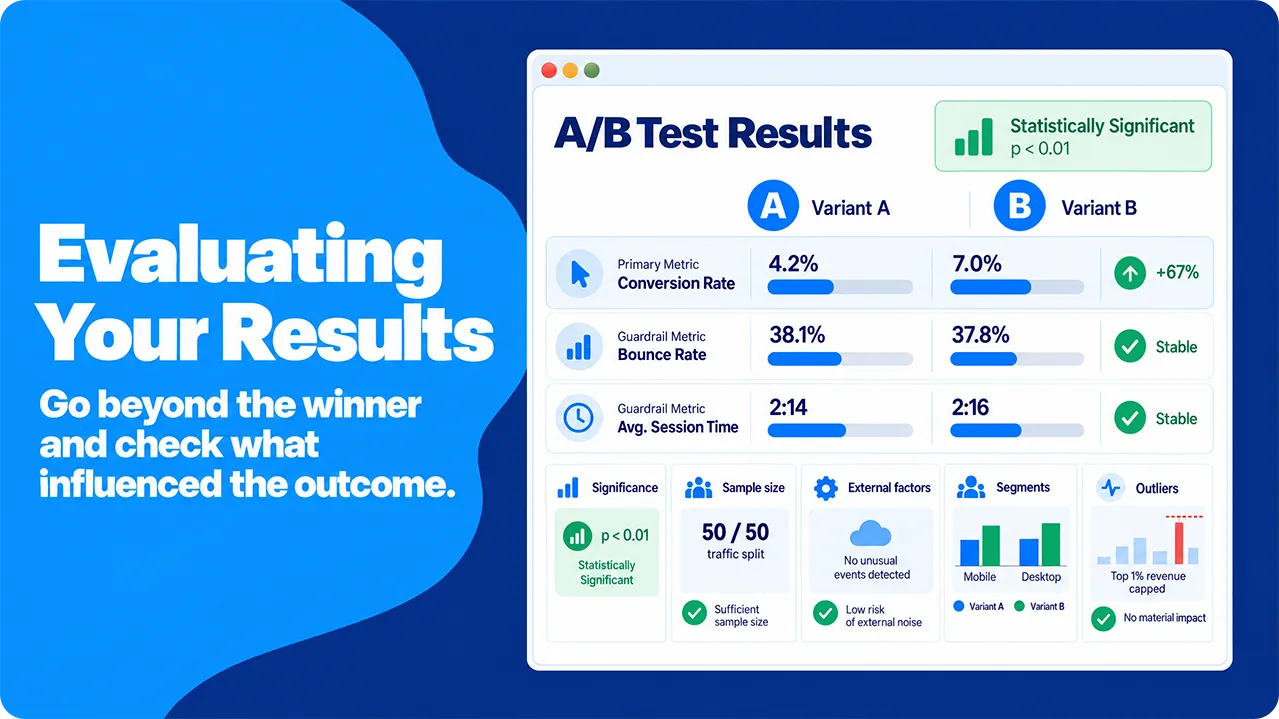
While it might be tempting to simply point to one of your page versions as the “winner” simply because your chosen primary metric has gone up, it’s important to remember that there is no such thing as the “perfect” landing page and that, with any digital marketing, we’re thinking in terms of statistics: the percentage of people who are exposed to our materials who go on to do our desired action is what we’re really looking at.
When running an A/B test, we’re looking for detailed information that we can use to make informed choices, so the more detailed your reports, the better.
This means that to get a more detailed understanding of our results, we’ll have to get mathematical (don’t panic: there are tools that can help!).
When running an A/B test, we’re looking for detailed information that we can use to make informed choices, so the more detailed your reports, the better.
This means that to get a more detailed understanding of our results, we’ll have to get mathematical (don’t panic: there are tools that can help!).
Statistical Significance
To declare a winner, you need to know whether the gap between your two pages reflects a real difference or just random variation in who happened to visit. You can never be completely certain, so statisticians use a hypothesis test to measure how surprising your result would be if the change had no effect.
The test starts from the null hypothesis, which is the assumption that version B performs exactly like version A. Conversions follow a binomial distribution, because each visitor either converts or does not, and that model tells the test how much the conversion rate would vary by chance alone. For conversion rates, the usual test is a two-proportion z-test or a chi-squared test, and any significance calculator runs it for you.
The test produces a p-value: the probability of seeing a difference at least as large as yours if the change really made no difference. It is not the probability that your change worked, and it says nothing about how big the improvement is. A p-value of 0.03 means that a gap at least this large would appear in about 3 of every 100 tests of two identical pages.
Most teams set the threshold at 0.05 (5%) before the test starts and call the result statistically significant when the p-value falls below it. Setting the threshold in advance matters, because a threshold chosen after you see the data can be moved to fit the result you hoped for. For a large decision, such as a full site redesign, a stricter threshold of 0.01 gives you extra protection against a false winner.
The test starts from the null hypothesis, which is the assumption that version B performs exactly like version A. Conversions follow a binomial distribution, because each visitor either converts or does not, and that model tells the test how much the conversion rate would vary by chance alone. For conversion rates, the usual test is a two-proportion z-test or a chi-squared test, and any significance calculator runs it for you.
The test produces a p-value: the probability of seeing a difference at least as large as yours if the change really made no difference. It is not the probability that your change worked, and it says nothing about how big the improvement is. A p-value of 0.03 means that a gap at least this large would appear in about 3 of every 100 tests of two identical pages.
Most teams set the threshold at 0.05 (5%) before the test starts and call the result statistically significant when the p-value falls below it. Setting the threshold in advance matters, because a threshold chosen after you see the data can be moved to fit the result you hoped for. For a large decision, such as a full site redesign, a stricter threshold of 0.01 gives you extra protection against a false winner.
Sample Size and Duration
While these should have been set right at the start of the testing process, it’s worth checking them again when evaluating your results. There are tools out there that can help you determine what sample sizes and timescales you should be aiming for to reach statistical significance in your results.
Basically, the longer your test runs for and the more people it includes, the more sure you can be of the long-term sustainability of any improvements that you find. There are, of course, limits to this: no marketing team has an unlimited timescale or budget for buying traffic, so it’s important that realistic numbers are set and checked.
While you look at your sample sizes, it is worth checking that each version received the share of visitors you planned. If you set a 50/50 split and see 5,400 visitors on one version and 4,600 on the other, something is wrong with the setup, not with your luck. This problem is called a sample ratio mismatch, and a simple chi-squared test confirms it.
A sample ratio mismatch usually comes from the setup, not from the traffic source. Typical causes include a redirect that loses some visitors, a tracking tag that fails to fire on one version, or bot filtering that removes more visits from one group. If the check fails, the results cannot be trusted, and the fix is to find the cause and rerun the test.
Basically, the longer your test runs for and the more people it includes, the more sure you can be of the long-term sustainability of any improvements that you find. There are, of course, limits to this: no marketing team has an unlimited timescale or budget for buying traffic, so it’s important that realistic numbers are set and checked.
While you look at your sample sizes, it is worth checking that each version received the share of visitors you planned. If you set a 50/50 split and see 5,400 visitors on one version and 4,600 on the other, something is wrong with the setup, not with your luck. This problem is called a sample ratio mismatch, and a simple chi-squared test confirms it.
A sample ratio mismatch usually comes from the setup, not from the traffic source. Typical causes include a redirect that loses some visitors, a tracking tag that fails to fire on one version, or bot filtering that removes more visits from one group. If the check fails, the results cannot be trusted, and the fix is to find the cause and rerun the test.
Assessing External Factors
Unfortunately, the internet is not a sterile test environment and external factors will probably creep into your results. While using paid traffic can help to minimize this potential statistical pollution, it can’t totally eliminate it.
These factors could include all kinds of things, from seasonal changes in behaviour (people being more open to e-commerce ads around the holidays) to other marketing campaigns that you may be running. Technical issues, such as one page loading slightly slower than the other, may also have a surprisingly large impact on your results. If no one waits long enough to see your test variable, you can’t really test it.
These factors don’t invalidate your results, but they should be carefully considered before you start applying them.
These factors could include all kinds of things, from seasonal changes in behaviour (people being more open to e-commerce ads around the holidays) to other marketing campaigns that you may be running. Technical issues, such as one page loading slightly slower than the other, may also have a surprisingly large impact on your results. If no one waits long enough to see your test variable, you can’t really test it.
These factors don’t invalidate your results, but they should be carefully considered before you start applying them.
Audience Segmentation
While you can pull headline figures from your A/B tests such as “5% more sign-ups”, you can also look at how different groups of visitors responded. This is especially useful with paid traffic, because you chose the audience and your analytics records each visitor’s device, location and traffic source.
The tempting approach is to slice the results by every dimension available, such as device, browser, country, age and gender. The problem is that every slice is another chance for luck to produce a false winner. With 10 segments tested at the 5% threshold, the chance that at least one shows a “significant” difference by luck alone is about 40%, a pitfall known as the multiple comparisons problem. Each slice also holds only part of your sample, so its numbers are less reliable.
It also helps to build segments from your own analytics rather than from ad-network profiles. Profiles built from third-party cookies are incomplete, because several major browsers block those cookies by default and consent banners reduce the visits you can measure.
The practical approach is to name one or two segments before the test starts, and device type is the most useful choice for most landing pages. For example, if you planned a mobile versus desktop comparison and desktop visitors convert far more often on version B, you have a solid finding to act on. Any pattern you spot in a segment you did not plan is a hypothesis for your next test, not a result.
The tempting approach is to slice the results by every dimension available, such as device, browser, country, age and gender. The problem is that every slice is another chance for luck to produce a false winner. With 10 segments tested at the 5% threshold, the chance that at least one shows a “significant” difference by luck alone is about 40%, a pitfall known as the multiple comparisons problem. Each slice also holds only part of your sample, so its numbers are less reliable.
It also helps to build segments from your own analytics rather than from ad-network profiles. Profiles built from third-party cookies are incomplete, because several major browsers block those cookies by default and consent banners reduce the visits you can measure.
The practical approach is to name one or two segments before the test starts, and device type is the most useful choice for most landing pages. For example, if you planned a mobile versus desktop comparison and desktop visitors convert far more often on version B, you have a solid finding to act on. Any pattern you spot in a segment you did not plan is a hypothesis for your next test, not a result.
Accounting for Outliers
Depending on the metric you have chosen, a few unusual results can distort your data. Revenue is the classic case: a single large purchase on version B can make it look like the winner, even if most of its visitors bought nothing at all.
The simplest fix is capping, also called winsorizing. You choose a cutoff, such as the 99th percentile of order values, and replace every value above it with the cutoff value. For example, if 99% of orders are below $400, a $5,000 order counts as $400. Every visitor stays in the data, including those who spent nothing, so you can still compare average revenue per visitor fairly.
Capping works better than trimming, which deletes the top and bottom values. In revenue data, the bottom values are mostly visitors who spent nothing, so deleting them inflates the average and hides the people who did not buy.
Some analysts use the Mann-Whitney U test instead. It pools the results from both pages, ranks them, and checks whether one group tends to produce larger values. It does not need equal group sizes, but it answers a different question from “which page earns more revenue per visitor,” and it struggles when most values are zero. For most landing-page tests, capping and then comparing averages is simpler and closer to the business decision you need to make.
The simplest fix is capping, also called winsorizing. You choose a cutoff, such as the 99th percentile of order values, and replace every value above it with the cutoff value. For example, if 99% of orders are below $400, a $5,000 order counts as $400. Every visitor stays in the data, including those who spent nothing, so you can still compare average revenue per visitor fairly.
Capping works better than trimming, which deletes the top and bottom values. In revenue data, the bottom values are mostly visitors who spent nothing, so deleting them inflates the average and hides the people who did not buy.
Some analysts use the Mann-Whitney U test instead. It pools the results from both pages, ranks them, and checks whether one group tends to produce larger values. It does not need equal group sizes, but it answers a different question from “which page earns more revenue per visitor,” and it struggles when most values are zero. For most landing-page tests, capping and then comparing averages is simpler and closer to the business decision you need to make.
Conclusion: Why You Should Use Paid Traffic For A/B Testing Your Landing Pages
It’s an old truism that there’s always room for improvement, and your landing pages are no exception. While you might be getting great results from your existing pages, you could always be getting more.
A/B testing allows you to try out changes and gather real, solid, statistical information on their impacts before you fully commit. Over the course of a few tests, you can dramatically improve your results without risking mistakes that are hard to reverse.
While you could rely on SEO or some other traffic generation method, using paid ads offers quite a few advantages.
A/B testing allows you to try out changes and gather real, solid, statistical information on their impacts before you fully commit. Over the course of a few tests, you can dramatically improve your results without risking mistakes that are hard to reverse.
While you could rely on SEO or some other traffic generation method, using paid ads offers quite a few advantages.
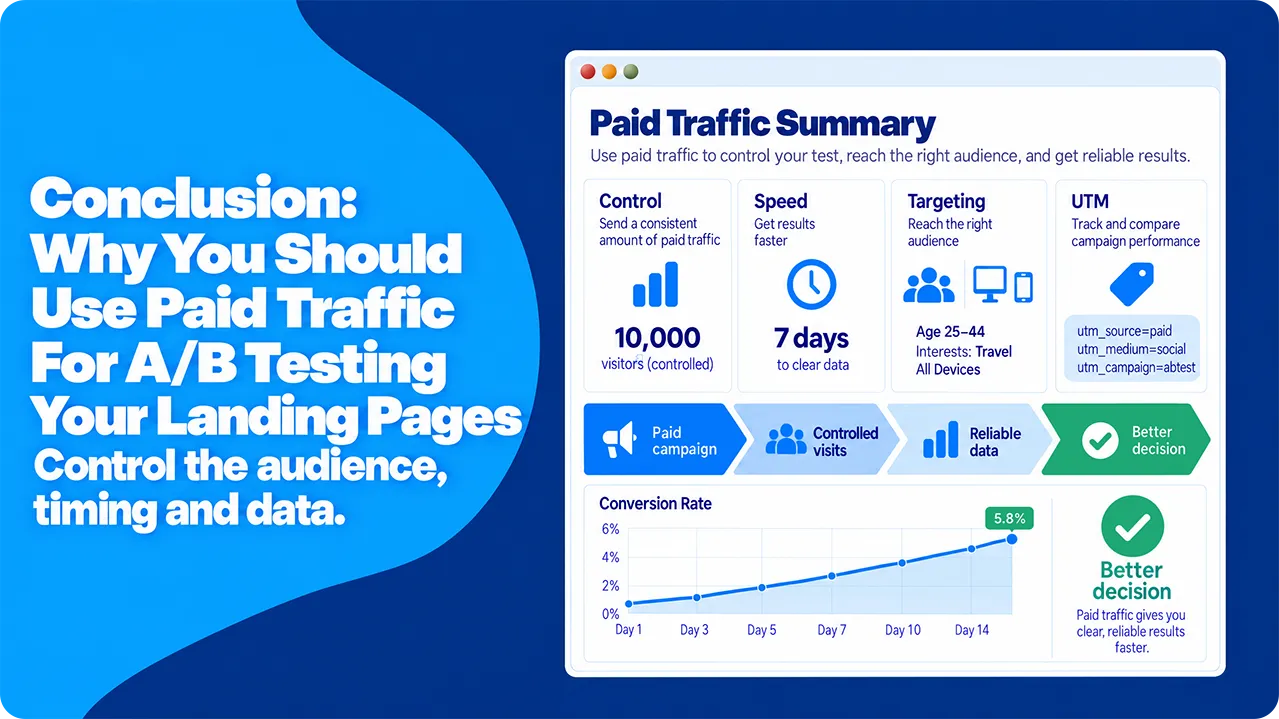
- You can target the people your site is aimed at by location, device and interests from the first day, so the test reflects the audience you want to win.
- You control the volume, timing and targeting of every visit, so both versions are tested on the same audience under the same conditions. A random split on your own site then keeps the comparison fair.
- Your test can begin almost immediately. Once ads are served, traffic starts to flow quickly, so you reach your planned sample size much sooner than you would by waiting for organic traffic.
- Tagging the campaign with UTM parameters lets you analyse only the visitors who came from your test, so organic, direct and returning visitors do not contaminate the results.
- Control over volume, via your ads platform, means that you can stop the test as soon as you reach your desired number of visitors to each page.
For accurate, controlled A/B experiments that show which changes drive greater conversions, paid traffic is hard to beat.