.webp)


.svg)


.svg)
.svg)
AI can influence a visit long before an analytics platform records a session. A person might ask an AI assistant for options, read a cited page, then open your site from an in-app browser or search for your name later. That makes AI traffic attribution a measurement problem as much as an acquisition problem.
The gap matters because AI use is now routine. A Pew Research Center survey found that 34% of U.S. adults had used ChatGPT in early 2025, roughly double the 2023 share. Yet a Reuters Institute report found that only 4% of respondents across 27 markets always or often click through from AI assistants to original sources. If you count only visible AI referrals, you will miss how AI helps people discover and later choose your brand.
The gap matters because AI use is now routine. A Pew Research Center survey found that 34% of U.S. adults had used ChatGPT in early 2025, roughly double the 2023 share. Yet a Reuters Institute report found that only 4% of respondents across 27 markets always or often click through from AI assistants to original sources. If you count only visible AI referrals, you will miss how AI helps people discover and later choose your brand.
What Is AI Traffic Attribution? Definition and the Direct Problem
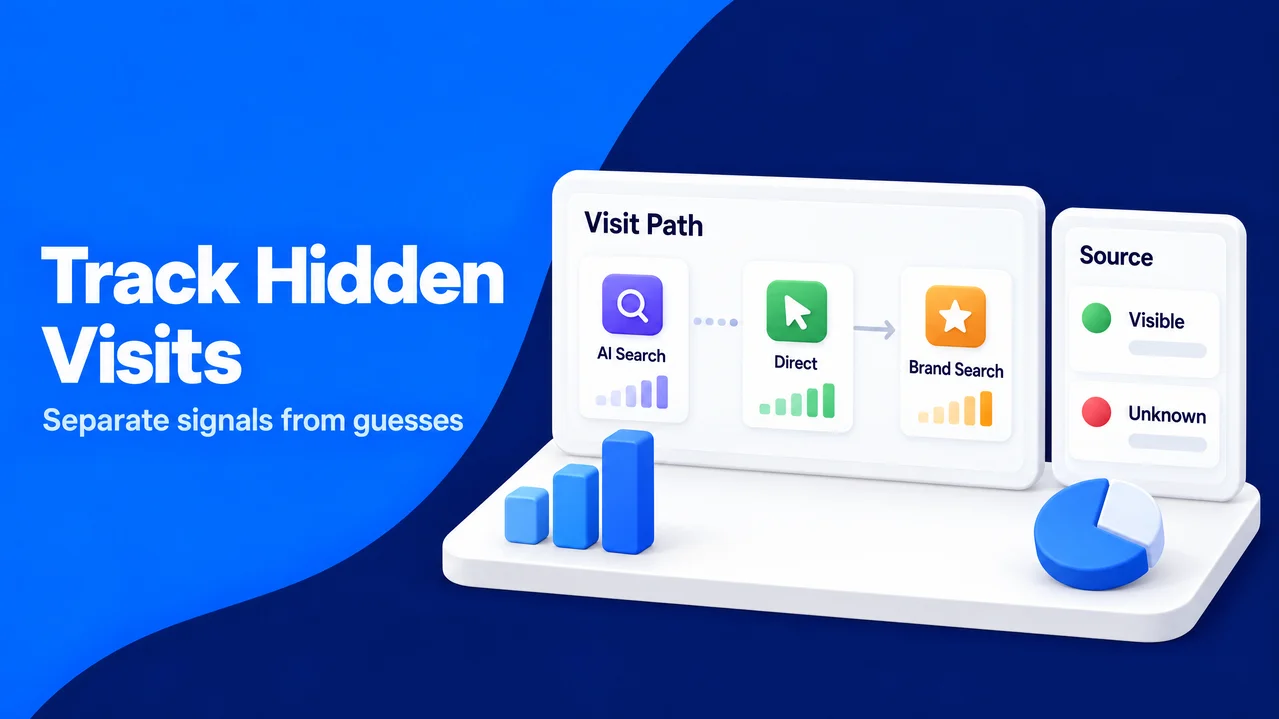
What is AI traffic attribution? It connects a website visit, search, lead, or sale to an earlier AI interaction, with a stated level of certainty. It includes clear assistant referrals and the less visible influence that appears later as Direct traffic or a branded search.
A referrer is information a browser may send to identify the linking page. The HTTP Referer header supports this handoff, although browsers, privacy controls, redirects, apps, and in-app webviews can remove it. Without it, analytics cannot reliably distinguish a typed URL from an AI-assisted visit.
This is why Direct is a bucket, not an explanation. It can contain typed URLs, bookmarks, untagged email links, document links, privacy-protected clicks, redirects, and referrer-less AI clicks.
The first practical step is to separate observation from interpretation. You can record the source and medium your analytics receives, then add an attribution label only when another signal supports it. This keeps reporting transparent and protects your team from guessing.
A referrer is information a browser may send to identify the linking page. The HTTP Referer header supports this handoff, although browsers, privacy controls, redirects, apps, and in-app webviews can remove it. Without it, analytics cannot reliably distinguish a typed URL from an AI-assisted visit.
This is why Direct is a bucket, not an explanation. It can contain typed URLs, bookmarks, untagged email links, document links, privacy-protected clicks, redirects, and referrer-less AI clicks.
The first practical step is to separate observation from interpretation. You can record the source and medium your analytics receives, then add an attribution label only when another signal supports it. This keeps reporting transparent and protects your team from guessing.
Establish a Clean Measurement Baseline Before You Infer AI Influence
Attribution becomes credible only after the traffic you control has clear labels. An untagged email, paid placement, QR code, affiliate placement, or social bio can all add noise to Direct. The same mechanics obscure AI visits: many ad formats pass no referrer and arrive as Direct, so referrer loss is a known limitation of web measurement rather than proof of a specific source.
SparkTraffic, a platform that delivers real, geo-targeted website visitors, teaches its customers that many ad formats pass no referrer and land in Direct. Its AI traffic page maps the AI sources where the same mechanics can hide visits. That is a useful reminder to establish clean campaign data before assigning an unexplained session to an AI assistant.
A practical move is to tag every link you control with UTM parameters, including newsletters, paid media, partner links, creator briefs, PDFs, QR codes, sales outreach, and social profiles. UTM parameters are values added to a URL that identify campaign source, medium, and name. They work because the labels travel in the landing-page URL even when a referrer does not.
It pays to keep the naming system short and documented. You can use one source name for each publisher, one medium for each placement type, and a campaign name that identifies the offer or period.
You can also inspect the final landing URL after each launch and check one live session in GA4. This finds broken tags before campaign visits are misclassified as Direct. For privacy-sensitive sites, analytics collection should use only the consent and retention settings your legal requirements call for, particularly where GDPR applies.
SparkTraffic, a platform that delivers real, geo-targeted website visitors, teaches its customers that many ad formats pass no referrer and land in Direct. Its AI traffic page maps the AI sources where the same mechanics can hide visits. That is a useful reminder to establish clean campaign data before assigning an unexplained session to an AI assistant.
A practical move is to tag every link you control with UTM parameters, including newsletters, paid media, partner links, creator briefs, PDFs, QR codes, sales outreach, and social profiles. UTM parameters are values added to a URL that identify campaign source, medium, and name. They work because the labels travel in the landing-page URL even when a referrer does not.
It pays to keep the naming system short and documented. You can use one source name for each publisher, one medium for each placement type, and a campaign name that identifies the offer or period.
You can also inspect the final landing URL after each launch and check one live session in GA4. This finds broken tags before campaign visits are misclassified as Direct. For privacy-sensitive sites, analytics collection should use only the consent and retention settings your legal requirements call for, particularly where GDPR applies.
Does AI Traffic Show Up in Direct or Branded Search?
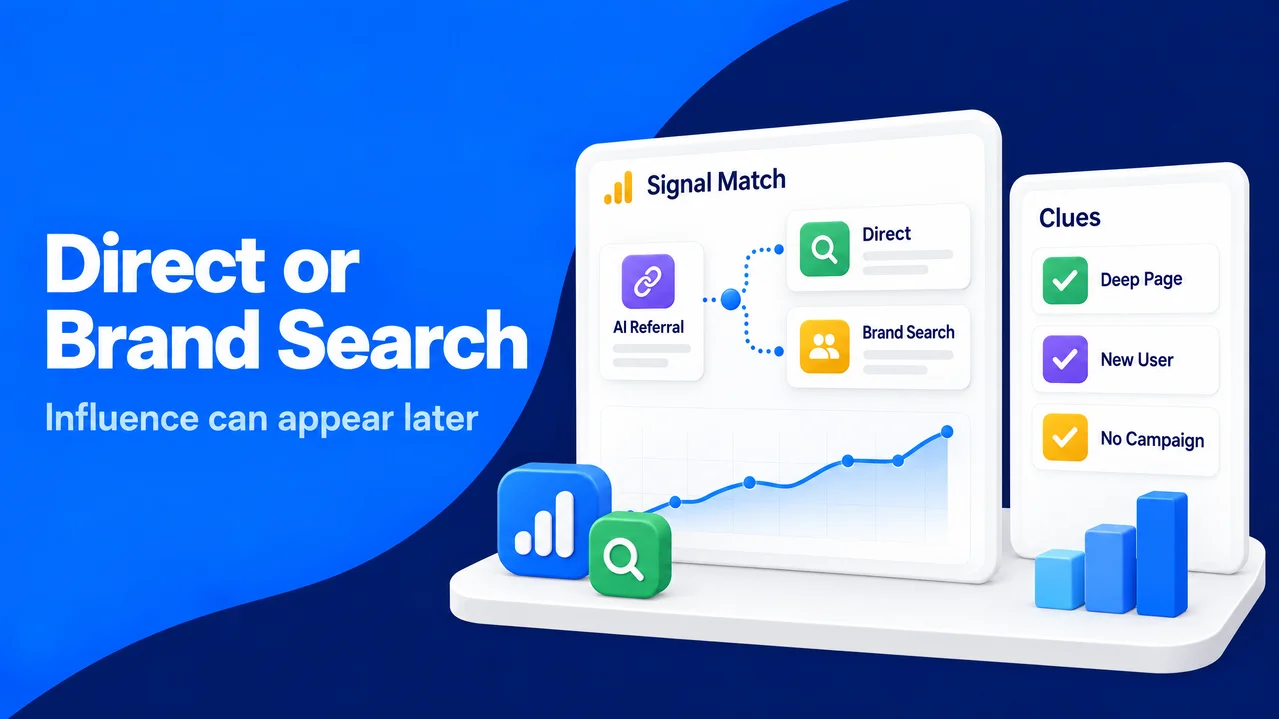
Yes, AI influence can show up in Direct and in branded search. A visible AI referral is the easy case: a person clicks a cited link and the assistant or browser passes a recognizable referrer. In practice, AI apps and in-app browsers can strip the HTTP referrer, leaving the next visit in Direct even though the person used an assistant minutes earlier.
The other pattern is delayed intent. Someone can read an AI answer, close the app, type your domain, or search for your company or product name later. Analytics then records a Direct session or an Organic Search session for a branded query, not an AI-assisted visit.
The other pattern is delayed intent. Someone can read an AI answer, close the app, type your domain, or search for your company or product name later. Analytics then records a Direct session or an Organic Search session for a branded query, not an AI-assisted visit.
AI influence on Direct traffic is a pattern, not a channel rule
A rising Direct total does not prove AI caused it. A useful approach is to look for a cluster of signals: Direct sessions increase to product, pricing, comparison, or detailed guide pages; branded queries rise in the same period; and no untagged campaign or technical change explains the shift.
Search Console can add the missing context. You can compare branded impressions, clicks, and query themes before and after a period when your content gained AI citations or when an AI-relevant campaign ran. A lift in branded search paired with more Direct entries to deep pages is a reasonable hypothesis to test, but it remains an inference unless people tell you how they found you.
A Pew analysis of Google searches illustrates why click data alone is incomplete. Searchers clicked a traditional result in 8% of visits with an AI summary, compared with 15% without one, and clicked a link in the summary in only 1% of visits. Fewer visible clicks do not mean fewer moments of discovery, so your measurement should include later brand demand rather than treating referral clicks as the full story.
Search Console can add the missing context. You can compare branded impressions, clicks, and query themes before and after a period when your content gained AI citations or when an AI-relevant campaign ran. A lift in branded search paired with more Direct entries to deep pages is a reasonable hypothesis to test, but it remains an inference unless people tell you how they found you.
A Pew analysis of Google searches illustrates why click data alone is incomplete. Searchers clicked a traditional result in 8% of visits with an AI summary, compared with 15% without one, and clicked a link in the summary in only 1% of visits. Fewer visible clicks do not mean fewer moments of discovery, so your measurement should include later brand demand rather than treating referral clicks as the full story.
Find Dark AI Traffic Without Guessing
Dark AI traffic is the portion of AI-influenced activity that standard referral reporting cannot identify with confidence. The visit reaches your site, but the original context is missing. The label should describe uncertainty, not create permission to assign every unknown visit to AI.
A simple page-level report is a useful starting point. You can filter Direct sessions and list the landing pages, device type, country, new versus returning status, and conversion events. A sudden group of first-time mobile visitors entering a long guide URL warrants a closer look because that path is less bookmark-worthy.
The next step is to exclude the explanations you can test. A useful check covers campaign calendars for emails, offline promotions, links in documents, app releases, redirects, consent-banner changes, and tracking updates. You can compare server logs where available and lawful.
The outcome should be a watchlist, not an unsupported source dimension. You might label a segment “possible AI influence” when it has Direct deep-page entry, a new user, and a matching rise in branded search, then report its size with an explicit confidence note. This gives leaders a decision-ready view without overstating causation.
A simple page-level report is a useful starting point. You can filter Direct sessions and list the landing pages, device type, country, new versus returning status, and conversion events. A sudden group of first-time mobile visitors entering a long guide URL warrants a closer look because that path is less bookmark-worthy.
The next step is to exclude the explanations you can test. A useful check covers campaign calendars for emails, offline promotions, links in documents, app releases, redirects, consent-banner changes, and tracking updates. You can compare server logs where available and lawful.
The outcome should be a watchlist, not an unsupported source dimension. You might label a segment “possible AI influence” when it has Direct deep-page entry, a new user, and a matching rise in branded search, then report its size with an explicit confidence note. This gives leaders a decision-ready view without overstating causation.
Use a Three-Tier AI Traffic Attribution Model
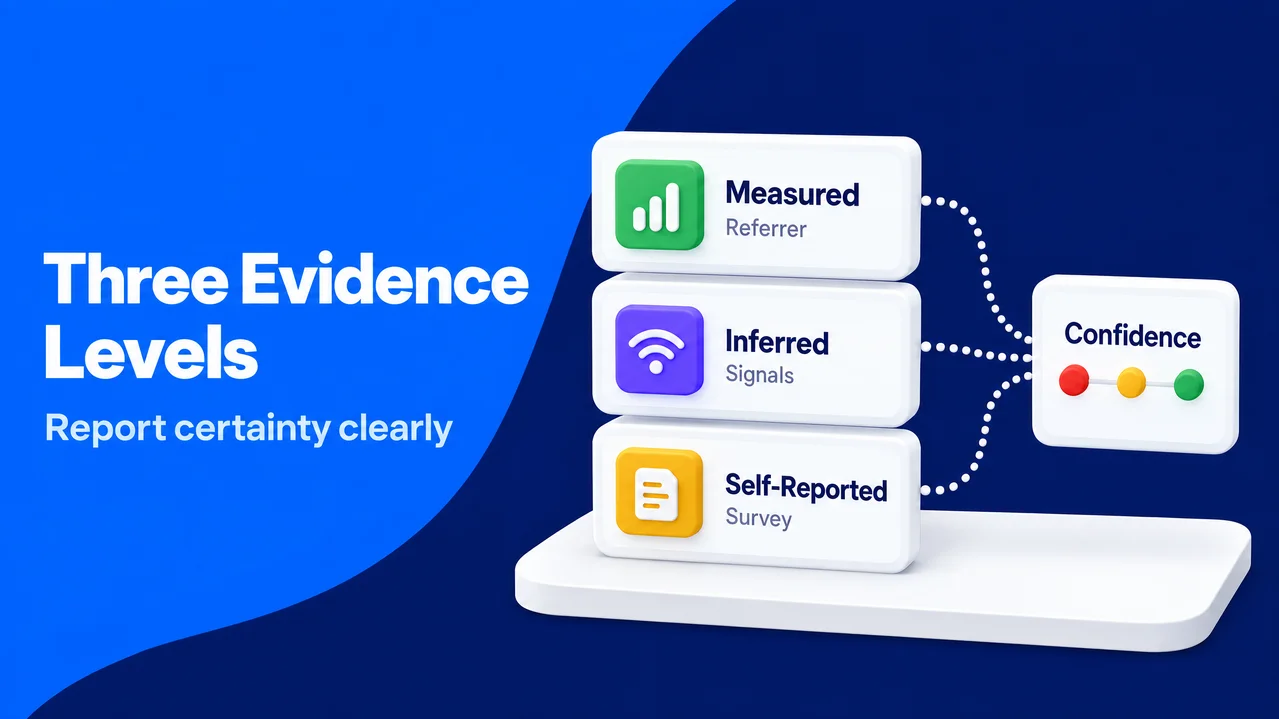
A three-tier model gives each AI-related visit the right level of certainty. It prevents useful signals from disappearing when they do not meet the standard for a measured referral.
Tier 1: Measured AI traffic
Measured traffic has a recognizable AI-assistant source or a URL parameter that identifies the assistant. In GA4, the native AI Assistant channel can classify matching assistant referrers; some AI traffic can still appear as Referral or Direct when no referrer arrives. You can report these sessions by landing page, engagement, conversion, and new-user rate, just as you would any other acquisition channel.
This tier is the proper basis for channel performance claims because it is observable. A useful check is whether content linked by assistants answers the user’s follow-up need. A quick exit may indicate that the summary answered the basic question while your page lacked specific evidence or next steps.
This tier is the proper basis for channel performance claims because it is observable. A useful check is whether content linked by assistants answers the user’s follow-up need. A quick exit may indicate that the summary answered the basic question while your page lacked specific evidence or next steps.
Tier 2: Inferred AI influence
Inferred traffic has supporting evidence but no source-level proof. The agreed signals can guide you: Direct entry to a deep page, concurrent branded-search lift, timing that matches AI visibility, and no stronger alternative explanation. You can score the segment with a simple rule such as low, medium, or high confidence instead of converting the estimate into a precise channel total.
The value of this tier is directional. It can show that visible referrals understate demand and indicate which content deserves human review. Using it to claim a precise return or shift credit from other channels without a test risks unsupported attribution.
The value of this tier is directional. It can show that visible referrals understate demand and indicate which content deserves human review. Using it to claim a precise return or shift credit from other channels without a test risks unsupported attribution.
Tier 3: Self-reported attribution
Self-reported attribution is what people say influenced them. A practical move is to add a short optional field to a lead form, checkout survey, or customer interview: “How did you first hear about us?” Options can include search engine, colleague, social media, AI assistant, event, and other, plus a free-text field.
This method works because it asks about memory and influence that browsers cannot send. A neutral question with “AI assistant” placed after other options helps, since leading wording can distort answers. A useful habit is to review free-text answers monthly and code them consistently.
Together, the tiers tell a clearer story: measured traffic reports what the browser supplied, inferred traffic shows a tested pattern, and self-reported traffic supplies the human explanation. That distinction supports quality decisions without pretending that every path can be observed.
This method works because it asks about memory and influence that browsers cannot send. A neutral question with “AI assistant” placed after other options helps, since leading wording can distort answers. A useful habit is to review free-text answers monthly and code them consistently.
Together, the tiers tell a clearer story: measured traffic reports what the browser supplied, inferred traffic shows a tested pattern, and self-reported traffic supplies the human explanation. That distinction supports quality decisions without pretending that every path can be observed.
Analyze AI Influence Over Time With Tests, Not Assumptions
A single monthly spike is rarely enough to attribute a result. Seasonality, a media mention, a product release, or an untagged campaign can change Direct and branded search at the same time. You can compare a pre-period and post-period and document those confounders.
Correlation analysis can be a practical starting point. A practical move is to build a weekly table with measured AI referrals, Direct deep-page sessions, branded Search Console impressions and clicks, conversions, major campaigns, and content publication dates. If several signals move together repeatedly after AI visibility grows, you have a hypothesis worth testing, not proof that one caused the other.
A holdout improves the evidence. For example, you can publish or promote a set of comparable pages in phases, while a similar set remains unchanged for a defined period. The next step is to compare changes in branded demand, Direct deep-page entries, and conversions between the two groups. The holdout helps because it gives you a benchmark for normal movement, although content topics must be sufficiently similar for the comparison to be fair.
Human-centered measurement still matters here. Optimizing for mentions in an assistant offers little value if the resulting visitors find thin pages, unclear claims, or irrelevant offers. People may use AI to start research, but trust is built when your site supplies original detail, transparent sources, and a useful next action.
Correlation analysis can be a practical starting point. A practical move is to build a weekly table with measured AI referrals, Direct deep-page sessions, branded Search Console impressions and clicks, conversions, major campaigns, and content publication dates. If several signals move together repeatedly after AI visibility grows, you have a hypothesis worth testing, not proof that one caused the other.
A holdout improves the evidence. For example, you can publish or promote a set of comparable pages in phases, while a similar set remains unchanged for a defined period. The next step is to compare changes in branded demand, Direct deep-page entries, and conversions between the two groups. The holdout helps because it gives you a benchmark for normal movement, although content topics must be sufficiently similar for the comparison to be fair.
Human-centered measurement still matters here. Optimizing for mentions in an assistant offers little value if the resulting visitors find thin pages, unclear claims, or irrelevant offers. People may use AI to start research, but trust is built when your site supplies original detail, transparent sources, and a useful next action.
Use GA4 to Preserve the Multi-Touch Story
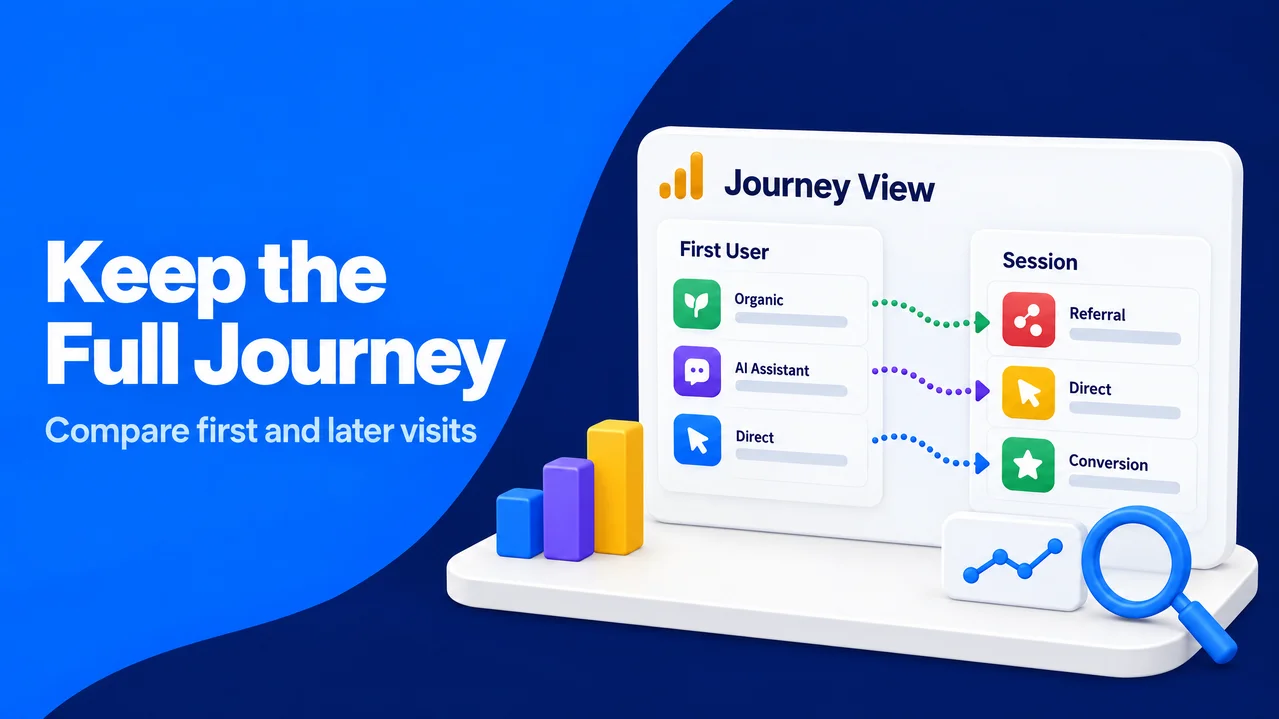
Session source describes the visit that analytics saw, which may be the last visible step in a longer journey. To see the earlier relationship, you can use GA4 with First user default channel group as a first-touch dimension and compare it with session-level channel group and conversion results. This lets you see whether a person first arrived through Organic Search, Referral, Direct, or an AI Assistant classification before later returning through another channel.
A small exploration for new users and conversions can help. You can include first user default channel group, session default channel group, landing page, and a conversion event, then compare the paths for the pages you believe assistants surface. This view works because it preserves the first observed acquisition method while acknowledging that later sessions can have a different source.
Forcing Direct sessions into an AI channel through a broad custom rule is best avoided. That would replace an honest unknown with an unsupported answer. Instead, you can keep a segment for possible dark AI traffic outside your official channel totals, and include its criteria in the report notes so another analyst can reproduce the view.
A small exploration for new users and conversions can help. You can include first user default channel group, session default channel group, landing page, and a conversion event, then compare the paths for the pages you believe assistants surface. This view works because it preserves the first observed acquisition method while acknowledging that later sessions can have a different source.
Forcing Direct sessions into an AI channel through a broad custom rule is best avoided. That would replace an honest unknown with an unsupported answer. Instead, you can keep a segment for possible dark AI traffic outside your official channel totals, and include its criteria in the report notes so another analyst can reproduce the view.
A Monthly Review That Keeps AI Traffic Attribution Useful
AI traffic attribution improves through repetition, not a one-time dashboard. A monthly review can keep the team focused on evidence while giving content, paid media, and sales teams a shared vocabulary.
- You can review measured AI referrals, Referral, Direct, and branded search together by landing page.
- A useful first step is to inspect Direct landings on deep URLs and remove known untagged campaign causes.
- You can check that every controlled link has readable UTM values and that new campaigns appear as expected.
- A useful habit is to read self-reported answers, including free text, and record the coding rule used for AI assistant responses.
- You can mark inferred findings as hypotheses, then decide whether a phased content test or holdout can test them.
The goal is not to turn every unknown visit into an AI success story. The goal is to make Direct interpretable, recognize branded search as a possible delayed response, and report certainty honestly. With tagged links, page-level context, self-reported evidence, and measured first-touch data, you can understand how AI contributes to real human journeys without confusing influence with proof.